In Futuristics, free AI email automation templates can save you 5-plus hours a week but only if you pick the right ones for your business, not just the flashiest tool with the best landing page. Most freelancers and small business owners waste money on platforms built for enterprise marketing teams, when a free plan would’ve done the job. In this guide, you’ll get a real comparison of the best free tools, five templates you can copy today, and a step-by-step setup so your first campaign goes out this week. Let’s start with what actually makes an “AI email template” worth using.
What AI Email Automation Templates Actually Are
An AI email automation template isn’t just a pretty design you drop text into. It’s a pre-built sequence subject line, body copy, send timing, and follow-up logic where the AI adjusts the content, timing, or personalization based on how each recipient behaves.
That’s different from a static template you’d find in a design library. A regular welcome email template says the same thing to everyone. An AI-powered version rewrites the subject line based on what gets opened, delays the send if someone’s inactive, and swaps in product recommendations based on browsing history.
Why This Matters More in 2026
Inboxes are noisier than ever, and generic blasts get ignored fast. AI templates solve two problems at once: they cut the time you spend writing from scratch, and they personalize at a scale no human could manage manually.
For a freelancer in Toronto or a shop owner in Manchester, that means competing with brands ten times your size without hiring a copywriter or a data analyst.
Key Takeaway: AI email templates combine smart copy with behavioral logic, which is why they outperform static templates even when the free version is basic.
7 Best Free AI Email Automation Tools for 2026
Not every “free AI email tool Saas” is actually free once you need real automation. Here’s how the most relevant options for freelancers, small businesses, and marketers stack up right now.
1. Mailchimp
Best For: All-around beginners
Free Plan: Yes (limited contacts)
Starting Price: $13/mo (≈£10/mo)
Rating: ⭐⭐⭐⭐☆ 4.3/5
2. Brevo
Best For: High-volume senders on a budget
Free Plan: Yes (300 emails/day)
Starting Price: $9/mo (≈£7/mo)
Rating: ⭐⭐⭐⭐☆ 4.4/5
3. MailerLite
Best For: Solopreneurs & creators
Free Plan: Yes (1,000 subscribers, 12,000 emails/mo)
Starting Price: $9/mo (≈£7/mo)
Rating: ⭐⭐⭐⭐⭐ 4.5/5
4. HubSpot
Best For: Marketers who want CRM + email
Free Plan: Yes (basic tier)
Starting Price: $20/mo (≈£15/mo)
Rating: ⭐⭐⭐⭐☆ 4.2/5
5. ActiveCampaign
Best For: Complex automation workflows
Free Plan: 14-day trial only
Starting Price: $19/mo (≈£14/mo)
Rating: ⭐⭐⭐⭐☆ 4.4/5
6. Klaviyo
Best For: Ecommerce & Shopify sellers
Free Plan: Yes (250 contacts)
Starting Price: $20/mo (≈£15/mo)
Rating: ⭐⭐⭐⭐☆ 4.3/5
7. Sequenzy
Best For: SaaS & product-triggered emails
Free Plan: Yes (basic tier)
Starting Price: $0–$239/mo, scaling by contacts
Rating: ⭐⭐⭐⭐☆ 4.1/5
If you’re brand new and just want something that works out of the box, start with MailerLite its free plan includes A/B testing, which most competitors lock behind a paid tier.
💡 Pro Tip: Before committing to any tool, check its free-plan email send limit against your actual list size several providers quietly reduced free-tier limits in early 2026, so what worked last year may not fit now.
Key Takeaway: MailerLite and Brevo currently offer the most usable free tiers for small businesses, while ActiveCampaign and Klaviyo are better once you’re ready to pay for deeper automation.
How to Choose the Right Free Template for Your Business
The “best” template depends entirely on what your business actually does not what’s trending. Here’s how to narrow it down fast.
Match the Template to Your Business Type
A freelancer chasing new clients needs a cold outreach sequence with a strong follow-up cadence. An ecommerce store in Australia needs cart-abandonment and post-purchase flows. A local service business in the USA needs simple appointment reminders and review requests. Don’t use a one-size-fits-all template it shows.
Match the Template to Your List Size
If you’re under 500 contacts, free plans from Brevo or MailerLite cover you completely. Once you cross into the thousands, compare per-contact pricing carefully, since some platforms (like Klaviyo) scale costs quickly as your list grows.
Match the Template to Your Skill Level
Beginners should pick drag-and-drop builders with AI copy suggestions baked in, rather than tools that require custom HTML or complex branching logic. You can always graduate to more advanced automation once you’ve proven the basics work.
Key Takeaway: Choose your free AI email automation template based on your business type and list size first the “best” tool on paper means nothing if it doesn’t fit your actual workflow.
5 Ready-to-Use AI Email Templates You Can Steal Today
These five templates cover the situations freelancers and small businesses hit most often. Paste the structure into any AI email tool from the table above and let the AI fill in personalization.
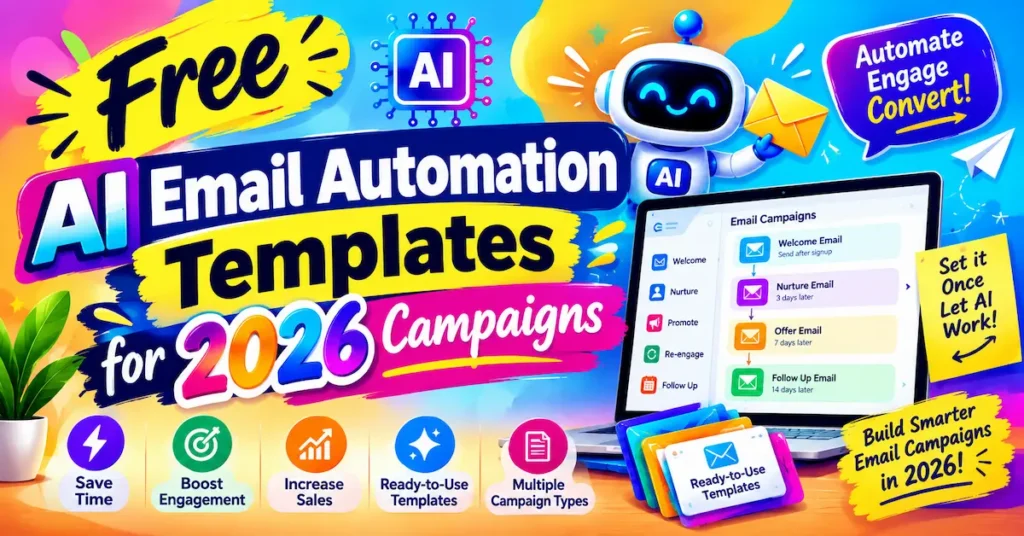
1. Welcome Sequence (3 emails) Email 1 delivers what they signed up for immediately. Email 2 shares your story or process, sent 2 days later. Email 3 makes a soft offer, sent 5 days later.
2. Cart Abandonment (2 emails) Email 1 sends a friendly reminder 1 hour after abandonment. Email 2 adds a small incentive 24 hours later if there’s still no purchase.
3. Freelancer Cold Outreach (4 emails) Email 1 introduces value with no pitch. Emails 2 to 4 follow up every 3 to 4 days, each with a new angle, then stop.
4. Re-Engagement / Win-Back (2 emails) Triggered after 60 days of inactivity, offering something specific to bring subscribers back before you remove them from your list.
5. Post-Purchase Upsell (2 emails) Sent 7 and 21 days after purchase, recommending complementary products based on what they already bought.
💡 Pro Tip: Let the AI generate three subject line variants for each email and run a quick A/B test on your first 100 sends this alone typically lifts open rates by several percentage points.
Key Takeaway: These five templates cover 90% of what small businesses actually need you rarely need more complexity than this to start seeing results.
How to Set Up Your First AI Email Campaign in 20 Minutes
Getting your first automated sequence live doesn’t need to be complicated. Here’s the fastest path from zero to sent.
Step 1: Pick One Template, Not Five
Start with whichever template matches your biggest current problem usually the welcome sequence, since it’s the easiest to automate and measure.
Step 2: Let AI Draft, Then Edit for Voice
Use your tool’s AI writer to generate a first draft, then rewrite anything that sounds robotic. AI copy is a starting point, not a finished product this is where most free templates fall flat if you skip the edit.
Step 3: Set Your Triggers and Timing
Define exactly what starts the sequence (a sign-up, a purchase, a form submission) and space your emails realistically too fast feels spammy, too slow loses momentum.
Step 4: Test With a Small Segment First
Send to 10% of your list before going wide. This catches broken links, awkward personalization tokens, and timing issues before they hit everyone.
📌 Real Example: A homeware small business in the UK, Warm Glass UK, used Mailchimp’s AI copy tools to cut email drafting time from roughly 30 minutes down to a few minutes per campaign, freeing up hours each week for actual product work, according to Mailchimp’s own case study.
Key Takeaway: A working campaign beats a perfect campaign launch with one template, test small, then expand once you see real data.
Mistakes That Kill Free AI Email Campaigns
Even the best free AI email automation templates fail when a few common mistakes creep in. Watch for these.
Sending Without Segmenting – Blasting your entire list with one template ignores the fact that new subscribers, repeat customers, and inactive contacts need completely different messages.
Trusting AI Copy Blindly — AI-generated subject lines can sound generic or, worse, slightly off-brand. Always give drafts a human pass before sending.
Ignoring Deliverability Basics — Free plans on shared sending infrastructure can land in spam more easily. Warm up your sending domain gradually rather than blasting thousands of emails on day one.
Skipping the Data — If you’re not checking open rates, click rates, and unsubscribes weekly, you have no idea whether your automation is actually working.
📊 68% of marketers now use AI tools specifically for email marketing tasks Semrush, 2025 State of AI in Marketing Report
That statistic matters because it shows AI email automation has moved past early-adopter status it’s now the baseline, not the edge case, across the USA, UK, Canada, and Australia alike.
Key Takeaway: Most free AI email campaigns don’t fail because of the tool they fail because of skipped segmentation, unedited AI copy, or ignored performance data.
Frequently Asked Questions
MailerLite and Brevo are the strongest starting points, since both offer genuinely usable free plans with AI copy assistance, not just a stripped-down trial.
Regular templates are static designs, while AI templates adjust subject lines, timing, and content based on subscriber behavior, which typically improves open and click rates.
Mailchimp's free plan includes basic AI content generation, but advanced personalization and higher contact limits require a paid plan starting around $13/month (≈£10/month).
Yes, though Klaviyo (built specifically for ecommerce) is usually a stronger fit than general marketing platforms once you need cart-abandonment or purchase-based flows.
Tools with strong sequence and follow-up logic, like Brevo or MailerLite, tend to work well for freelancer outreach without needing enterprise-level CRM features.
For businesses under 1,000 to 2,000 contacts, yes, free tiers from MailerLite, Brevo, and HubSpot cover most core automation needs without upgrading.
AI adjusts subject lines and send timing to match individual subscriber behavior, rather than applying one static approach to everyone on the list.
Start with just one usually a welcome sequence before adding more, so you can measure results without confusing what's actually driving performance.
Once your list grows past the free tier's limit, or you need advanced segmentation and multi-step automation, upgrading usually pays for itself through time saved and higher conversions.
Most tools can approximate your voice from past emails or a style prompt, but a quick human edit still improves quality and keeps the tone consistent.
Final Thoughts
Free AI email automation tool templates genuinely work in 2026 but only when you match the right tool to your business size, pick one template to start, and actually review your performance data. The tools compared here (MailerLite, Brevo, Mailchimp, and the rest) each solve different problems, so choose based on your list size and use case, not hype. AI handles the repetitive work of drafting and timing; your judgment still decides what actually gets sent.
Pick one template from this guide, set it up this week, and let the data tell you what to improve next that’s how small businesses in the USA, UK, Canada, and Australia are already outpacing competitors twice their size.