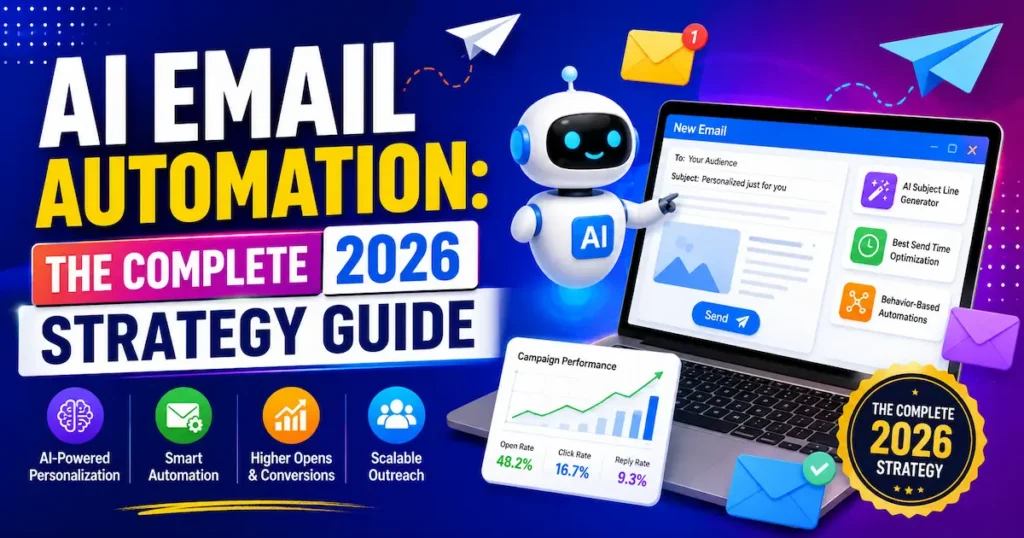
If you’ve ever wondered what is AI email automation and whether it’s worth your time, here’s the short answer: it’s software that reads, writes, sorts and sends email on your behalf and it’s the single fastest way most solo operators claw back a full working day each week.The average professional burns roughly 2.6 hours a day on email. Not writing proposals. Not serving clients. Just email.
In the Futuristics this guide breaks down exactly how the technology works, what it can realistically do for a freelancer or small business, which tools are actually worth paying for in 2026, and how to build your first workflow in an afternoon. No jargon, no hype.

6 Things AI Email Automation Can Do For You This Week
Forget theory. Here’s what people are genuinely using this for right now.
Inbox jobs
Triage and summarise. AI reads every incoming message, files the noise, and gives you a three-line summary of the twelve-email thread you were dreading. Most users report cutting inbox time by half within two weeks.
Draft replies in your voice. The tool studies how you write sentence length, sign-off, level of formality then produces a ready-to-send draft. You edit and hit send. Ninety seconds instead of nine minutes.
Auto-follow-up. No reply after four days? The system sends a polite nudge without you remembering to.
Marketing jobs
Behavioural sequences. Someone browses your pricing page twice but doesn’t buy. AI notices, and triggers a targeted sequence addressing the objection most common to that segment.
Subject line testing at scale. Instead of A/B testing two options, AI generates twelve, tests them on small slices of your list, and rolls the winner out automatically.
Predictive segmentation. The system flags which subscribers are drifting toward unsubscribing and quietly moves them into a re-engagement flow before you lose them.
💡 Pro Tip: Start with abandoned-cart or abandoned-enquiry emails. It’s the single highest-ROI automation for almost every small business, it takes under an hour to build, and it recovers sales you’ve already paid to acquire.
Freelancers in Australia tell us the follow-up automation alone justifies the subscription chasing invoices and proposals across time zones is exactly the work nobody wants to do manually.
Key Takeaway: The fastest wins come from triage, drafted replies and behavioural follow-ups three jobs you can automate this week without redesigning anything.
Best AI Email Automation Tools in 2026 (Compared)
The market is crowded, and many “best of” lists are affiliate driven. Here’s a practical shortlist of AI email automation tools that genuinely exist and work in 2026, covering both email marketing and inbox automation.
1. Brevo
Best For: Budget conscious individuals and small businesses that need email and SMS marketing.
Free Plan: Yes, up to 300 emails per day
Starting Price: $9 / ~£7 per month
Our Rating: ⭐⭐⭐⭐½
Brevo is a cost effective option for users who want email marketing and SMS capabilities in one platform.
2. MailerLite
Best For: Freelancers, bloggers, and newsletter creators.
Free Plan: Yes, up to 1,000 subscribers
Starting Price: $10 / ~£8 per month
Our Rating: ⭐⭐⭐⭐½
MailerLite focuses on simplicity and is suitable for creators and small businesses looking for straightforward email marketing automation.
3. ActiveCampaign
Best For: Businesses that need advanced and branching automation workflows.
Free Plan: No, 14 day trial available
Starting Price: $15 / ~£12 per month
Our Rating: ⭐⭐⭐⭐⭐
ActiveCampaign is designed for more complex automation, allowing users to build detailed customer journeys and conditional email sequences.
4. Klaviyo
Best For: E commerce businesses and Shopify stores.
Free Plan: Yes, up to 250 contacts
Starting Price: $20 / ~£16 per month
Our Rating: ⭐⭐⭐⭐⭐
Klaviyo is particularly focused on e commerce email marketing, customer segmentation, and automated campaigns.
5. HubSpot Marketing Hub
Best For: Small teams that want CRM and email marketing in one platform.
Free Plan: Yes, limited features
Starting Price: $20 / ~£16 per seat
Our Rating: ⭐⭐⭐⭐½
HubSpot combines marketing automation with CRM features, making it useful for teams that want to manage customer information and email campaigns together.
6. Shortwave
Best For: Gmail users who want AI powered inbox organization and email triage.
Free Plan: Yes, limited features
Starting Price: $7 / ~£6 per user
Our Rating: ⭐⭐⭐⭐
Shortwave focuses more on the inbox side of AI email automation Commerce brand, helping users organize, manage, and work through email more efficiently.
7. Mailshake
Best For: Cold outreach and multi channel sales sequences.
Free Plan: No
Starting Price: $25 / ~£20 per user
Our Rating: ⭐⭐⭐⭐
Mailshake is aimed at sales and outreach teams that need automated cold email campaigns and multi channel sequences.
A Note About Pricing
Prices shown are entry level tiers and can increase as your contact count or usage grows. For example, ActiveCampaign’s $15 plan covers 1,000 contacts rather than 10,000. Before choosing a tool, calculate the cost based on your actual subscriber or contact list size.
If you’re starting from zero and selling products, begin with Klaviyo. If you’re a service business or freelancer, ActiveCampaign gives you the most automation depth for the money, and Brevo is the best value if budget is the binding constraint.
A note on pricing by country
Most of these platforms bill in USD by default. UK users are typically charged in GBP with VAT added at checkout; Canadian and Australian customers are usually billed in USD unless they select a local entity, so watch your card’s foreign transaction fee. Brevo and MailerLite both offer EU/UK data residency options, which matters if you’re handling customer data under UK GDPR.
Key Takeaway: Pick your AI email automation tool based on your data model, e commerce, service business, or inbox overload, not on which one has the flashiest AI feature list.
How to Set Up Your First AI Email Workflow in 5 Steps
Automated email marketing with AI sounds complicated. It isn’t. Here’s the sequence that works.
Step 1: Pick one problem
Not five. One. The abandoned cart. The unanswered enquiry. The client follow up. A single workflow you can measure in two weeks beats a grand system you never finish.
Step 2: Clean your list before you automate
Remove dead addresses. Fix broken tags. AI amplifies whatever data you feed it, including the mess.
If your list has been sitting untouched for a year, run a re engagement campaign first. Sending automations to cold addresses is the fastest way to damage your sender reputation.
Step 3: Write the first version yourself
Draft email one manually. Let the AI generate variations from your draft rather than from a blank page. The output will sound dramatically more like you.
Step 4: Set your guardrails
Decide what the AI is not allowed to do. Don’t let it send without review for the first month. Don’t let it quote prices. Don’t let it promise delivery dates.
📌 Real Example: A UK fashion retailer, MyClothing, rebuilt its automated welcome flow in Klaviyo with a specialist agency and recorded a 221% year on year increase in placed order rate from automations during peak season, alongside a 75% reduction in campaign build time.
Step 5: Measure, then expand
Track three numbers: open rate, reply or click rate, and time saved. After two weeks, you’ll know whether to double down or rebuild.
💡 Pro Tip: Before you switch anything on, send the entire automated sequence to yourself and a colleague. Reading it as a recipient, on a phone, in a crowded inbox, catches tone problems no preview window ever will.
Key Takeaway: Automate one clearly defined problem with clean data and human review, then expand only after you’ve measured a real result.
4 Mistakes Beginners Make With AI Email Automation
Most people who give up on AI email automation didn’t hit a technical wall. They hit one of these.
Mistake 1: Automating before you have a process
If you don’t know what a good follow up looks like when you write it by hand, automation just scales your confusion. Write the manual version first.
Mistake 2: Trusting the AI to be factually correct
Language models invent details. They will confidently state a price you’ve never charged or a policy you don’t have.
Every automated email touching money, deadlines or legal terms needs a human check. Every single one.
Mistake 3: Over personalising until it gets creepy
Referencing someone’s first name is fine. Referencing the exact product they stared at for four minutes on Tuesday evening is not.
There’s a line, and readers in the UK, Canada and Australia, all operating under strict consent based email rules, are noticeably less tolerant of it than US audiences. Canada’s anti spam legislation in particular carries real penalties for sending without documented consent.
Mistake 4: Ignoring deliverability
The best AI copy in the world is worthless in a spam folder. Authenticate your domain, warm it up slowly, and keep your bounce rate under 2%.
Sending volume ramps matter more than most beginners realise. Going from 50 emails a day to 5,000 overnight is the fastest route to being filtered.
Key Takeaway: The failures in AI email automation are almost always human process failures, no defined workflow, no fact checking, no deliverability hygiene, not failures of the technology itself.
Frequently Asked Questions
It's software that uses artificial intelligence to read, write, sort and send emails for you. Unlike older rule-based tools, it adapts to context rather than following a fixed script. You set the goal and the guardrails; it handles execution.
It follows four steps: a trigger fires, the system pulls relevant data about the recipient, a decision engine chooses what and when to send, and a language model generates the copy. Most platforms let you configure all four without writing code.
For most solo operators, yes especially if you spend more than an hour a day on email. A $10–20 monthly tool that returns three or four hours a week pays for itself immediately. Start on a free tier to test the fit before committing.
Yes, if you feed it enough of your past writing. Tools that train on your sent folder produce noticeably better results than tools working from a blank prompt. Expect to edit the first dozen drafts heavily while it learns.
Brevo and MailerLite have the gentlest learning curves and generous free plans. If you run an online store, Klaviyo is worth the steeper curve because of its e-commerce integrations. For inbox triage rather than marketing, Shortwave is the simplest entry point.
The AI doesn't change your legal obligations consent rules still apply exactly as they always did. You need documented permission to email UK and EU contacts, and Canada's CASL is stricter still. Always include a working unsubscribe link and your physical business address.
Usually it's authentication, not content. Set up SPF, DKIM and DMARC records on your sending domain, and ramp your volume gradually rather than all at once. Also check that you're not emailing addresses that have been inactive for over a year.
Entry plans typically run £7–£20 per month, with VAT added at checkout. Costs scale with contact count, so a list of 10,000 will often land between £60 and £150 monthly depending on the platform. Model your real list size before signing up.
It replaces parts of the role triage, drafting, follow-up scheduling but not judgement, relationship handling or anything requiring real accountability. Most businesses find the best setup is a VA using AI tools, not one replacing the other. Think multiplier, not substitute.
Realistically: 30–50% less time spent on inbox management, and a measurable lift in reply rates on follow-up sequences. Revenue impact from marketing automations usually shows up in weeks four to eight, once you have enough data for the system to optimise against.
Final Thoughts
So, what is AI email automation really? It’s the layer of intelligence that sits between you and your inbox, making contextual decisions about what gets written, who receives it and when it lands. The technology splits cleanly into inbox management and AI Automation Saas, the tooling starts at under $10 a month, and the biggest wins come from automating one narrow, well-understood problem rather than everything at once.
Pick the single email task that frustrates you most this week, build one workflow around it, and let the results decide what you automate next.