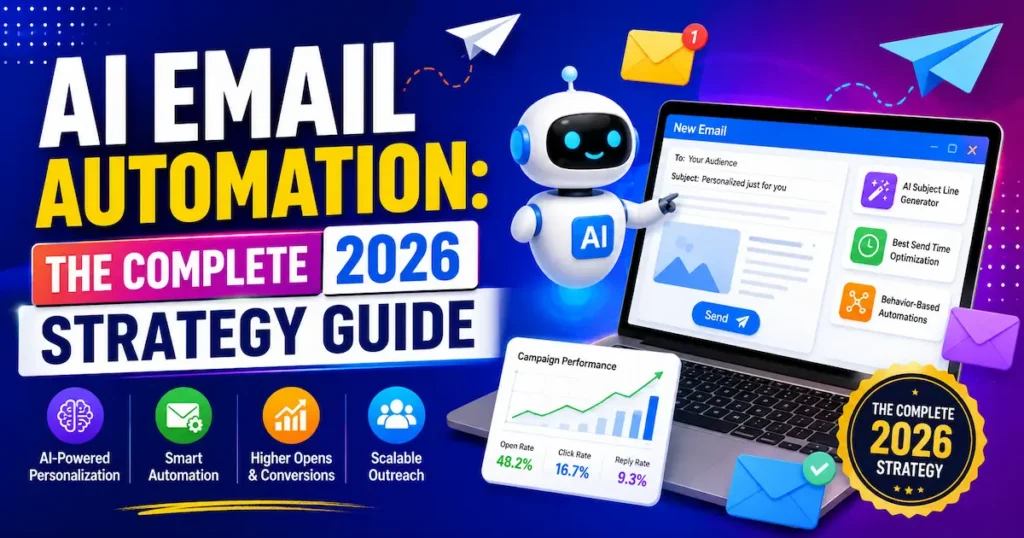
In the Futuristics, AI email automation isn’t a nice-to-have anymore it’s the difference between spending your morning triaging 80 messages and spending it doing work that actually pays you. If you’re a freelancer, a small business owner, or a one-person marketing team, your inbox has probably become a second job you never applied for. This guide breaks down exactly which tools work, how to set them up, and which strategies save real hours (not just promise them). No hype, no jargon just what actually moves the needle in 2026. Let’s start with what AI email automation really means.
What Is AI Email Automation, Really?
AI email automation uses machine learning to handle the parts of email you shouldn’t have to do manually: sorting, drafting, prioritizing, and triggering follow-up actions. It’s different from the old-school “autoresponder” you set up in Gmail a decade ago.
Old automation followed rules. If a message contained the word “invoice,” it went to a folder. That was the whole system.
AI email automation understands context. It reads the actual content and intent of a message, not just keywords. It can tell the difference between a client asking for a quote and a client complaining about a late delivery and respond, label, or route accordingly.
In practice, this splits into three categories: generative drafting (writing replies in your voice), inbox triage (labeling and prioritizing automatically), and workflow automation (updating your CRM or scheduling a follow-up when a specific type of email arrives). Most modern tools combine at least two of these, and the strongest ones let you dial the automation up or down depending on how much you trust a given workflow.
For freelancers and small teams, that combination is the whole point. You’re not trying to build an enterprise support desk you’re trying to stop re-typing the same three replies every single day. The goal isn’t a fully autonomous inbox. It’s a system where the mechanical 80% of your email gets handled without you, so the 20% that actually needs your judgment gets your full attention.
Think of it as the difference between a filing cabinet and an assistant. A filing cabinet just stores things where you tell it to. An assistant reads the message, understands what it’s really asking for, and decides what should happen next draft a reply, flag it for you, or quietly file it away.
Key Takeaway: AI email automation goes beyond simple filters it understands context and can draft, sort, and trigger actions on its own.
Who Actually Needs AI Email Automation in 2026
Not everyone needs the same setup. Here’s how it breaks down by role.
Freelancers and Solopreneurs
If you’re juggling client emails, invoices, and project updates alone, AI drafting tools save you from writing the same “here’s my availability” reply 15 times a week. This is where the time savings show up fastest, since there’s no team to delegate to — every minute an AI assistant saves is a minute you get back directly, not one that gets absorbed by someone else’s workload.
Small Business Owners
Owners in the USA, UK, Canada, and Australia are increasingly using AI to triage customer inquiries before a human ever touches them separating urgent issues from routine ones automatically, even outside business hours. A café owner in Toronto and a plumber in Manchester have the same underlying problem: customers expect a fast reply, but neither can staff an inbox around the clock. AI triage closes that gap without adding headcount.
Digital Marketers
For marketers, Ai market automation and AI email automation both are best but email automation usually means campaign-level tools: send-time optimization, subject line testing, and behavior-based segmentation that adjusts without manual rule-building. Instead of manually building five versions of a campaign for different segments, the platform tests and adjusts automatically based on how each group actually engages.
The time savings are well documented. Knowledge workers who adopted generative AI for email management cut their weekly email time by more than three hours, a meaningful chunk of a standard workweek.
📊 Knowledge workers using generative AI tools for email management saved 3.6 hours per week, a 31% reduction in time spent on email NBER/Microsoft, 2025
Key Takeaway: Whether you’re solo or leading a team, the right AI email setup should match your actual workload not the most feature-packed tool on the market.
The Best AI Email Automation Tools for 2026
There’s no single “best” tool it depends on whether you need a personal inbox assistant, a team shared inbox, or a marketing automation platform. Here’s how the top options compare right now.
1. Superhuman
Best for: Premium AI inbox with drafting and email summaries
Free Plan: No
Starting Price: $25/month (~£20/month)
Our Rating: ⭐ 4.6/5
2. SaneBox
Best for: Automatic inbox sorting that works with any email provider
Free Plan: No, but a free trial is available
Starting Price: $3.49/month (~£2.75/month)
Our Rating: ⭐ 4.4/5
3. Shortwave
Best for: AI-powered search and email thread summaries for Gmail
Free Plan: Yes
Starting Price: $8/month (~£6.30/month)
Our Rating: ⭐ 4.3/5
4. Missive
Best for: Shared team inboxes and AI-assisted email drafting
Free Plan: Yes, with limited features
Starting Price: $14/user/month (~£11/user/month)
Our Rating: ⭐ 4.5/5
5. Mailbutler
Best for: AI email assistance across Gmail, Outlook, and Apple Mail
Free Plan: Yes, with limited features
Starting Price: $9.95/month (~£7.85/month)
Our Rating: ⭐ 4.2/5
6. HubSpot (Breeze)
Best for: Marketing email automation with CRM context
Free Plan: Yes, with limited features
Starting Price: $20/month (~£15.75/month)
Our Rating: ⭐ 4.4/5
7. ActiveCampaign
Best for: Advanced marketing workflows, automation, and audience segmentation
Free Plan: No, but a free trial is available
Starting Price: $15/month (~£11.80/month)
Our Rating: ⭐ 4.3/5
If you only need one thing, start simple: solo freelancers and small teams get the fastest return from Missive or Mailbutler, while marketers running campaigns should look at HubSpot or ActiveCampaign first.
Key Takeaway: Match the tool to the job: personal inbox assistants and marketing automation platforms solve very different problems.
How to Set Up AI Email Automation Step by Step
Getting started doesn’t require a developer. Here’s the realistic setup path.
1. Audit Your Repetitive Emails
Marketing beginner spend one week flagging every email you send that’s a near-duplicate of something you’ve sent before pricing questions, scheduling requests, status updates. This becomes your automation shortlist. Most people are surprised to find that three or four message types make up more than half of their weekly email volume.
2. Pick One Tool, Not Five
Start with a single AI email assistant connected to your main inbox. Running multiple tools at once creates conflicting labels and duplicate drafts, which defeats the purpose. It’s tempting to stack a triage tool, a drafting tool, and a marketing platform all at once resist it until the first one is actually working well.
3. Train It on Your Voice
Most tools learn tone from your sent folder. Feed it 20–30 real replies so drafts sound like you, not a generic template. The more varied the examples short replies, longer explanations, the occasional firm “no” the better the AI gets at matching how you actually communicate in different situations.
Pro Tip: Before automating replies, automate triage first. Sorting and prioritizing your inbox is lower-risk than sending AI-drafted replies, and it builds trust in the system before you hand over more control.
4. Set Guardrails
Decide which email types get sent automatically versus reviewed by you first. Invoicing reminders can go out untouched; anything involving pricing negotiations or complaints should stay human-reviewed, at least at first.
Key Takeaway: Start narrow one tool, one workflow, human review then expand once you trust the output.
5 AI Email Automation Strategies That Actually Save Time
These are the workflows worth setting up first, based on where the time savings are largest.
- Auto-draft replies to FAQs. Let AI generate first-draft responses to common questions, then you edit and send in seconds instead of writing from scratch. Over a month, this alone can cut hours off your weekly total.
- Trigger CRM updates from inbound emails. When a lead replies with interest, have the system log it and create a follow-up task automatically, so nothing sits unanswered in a forgotten thread.
- Summarize long threads before you open them. This alone can save several minutes per thread on client projects with long back-and-forth chains, especially when you’re catching up after a few days away.
- Auto-schedule based on availability language. If someone asks “when are you free,” let AI suggest times pulled directly from your calendar instead of the usual round of back-and-forth emails.
- Route by urgency, not by sender. Urgent issues from a low-priority client should still jump the queue — AI can catch tone and urgency that simple filters miss, like a one-line complaint buried in an otherwise routine message.
Real Example: A SaaS support team at AssemblyAI in the USA used Pylon’s AI-powered email routing and workflow automation to cut first response time from 15 minutes down to just 23 seconds a 97% reduction according to Pylon’s published case study (usepylon.com).
Key Takeaway: The biggest time savings come from automating triage and drafting first, not from trying to automate every single email type at once.
Common Mistakes to Avoid With AI Email Automation
Even good tools fail when they’re set up carelessly. Watch for these.
Automating replies before reviewing tone
AI-generated drafts can sound stiff or overly formal if you skip the training step. Always review the first two weeks of output closely, since small tone mismatches are much easier to catch and fix early than after a client notices.
Ignoring data privacy rules
If you handle client data in the UK or across the EU, check that your chosen tool is GDPR-compliant before connecting it to a business inbox — not every US-built tool meets this by default, and the fine print on data retention matters more than the marketing page suggests.
Treating automation as “set and forget.”
Client relationships change, and so should your automated responses. Review your workflows quarterly, especially if your pricing, availability, or service offering has shifted since you first set things up.
Skipping the fallback plan
Every automated workflow needs a manual override. If the AI misreads an urgent message, you need a way to catch it. A daily five-minute scan of everything the system handled is a cheap insurance policy.
Pro Tip: Turn on AI drafting for one email category first, like scheduling, before expanding to sales inquiries or support tickets. Narrow rollouts catch mistakes before they reach a client.
A small business in Canada or Australia running automation across time zones should also double-check that “urgent” routing accounts for after-hours messages, since a delayed flag can undo the entire benefit.
Key Takeaway: Most AI email automation failures come from moving too fast, not from the technology itself.

Frequently Asked Questions
AI email automation uses machine learning to draft replies, sort your inbox, and trigger follow-up actions automatically, based on the actual content and intent of each message rather than fixed keyword rules.
Personal AI inbox tools typically run $3–$25 USD per month (roughly £2–£20), while marketing-focused platforms with AI features start around $15–$20 USD per month and scale with contact volume.
Reputable providers use encryption and publish clear data retention policies, but every AI email tool processes your message content to function, so it's worth reading the privacy policy before connecting a business inbox.
Most modern tools learn tone and phrasing from your sent folder, and drafts typically need only light editing once trained on 20–30 real examples.
Mailbutler and Missive tend to work best for freelancers because they're affordable, integrate directly with Gmail or Outlook, and don't require a dedicated marketing setup.
This usually happens when the tool hasn't been trained on enough of your real sent emails, yet feed it more examples and review drafts closely during the first two weeks.
For most small businesses handling repetitive inquiries, yes, the time saved on triage and drafting alone often pays for the subscription within the first month.
Track your sent folder for a week and automate whichever reply type repeats most often, usually scheduling, pricing questions, or status updates.
Most established tools, including HubSpot and ActiveCampaign, offer native or third-party integrations that log inbound emails and trigger CRM updates automatically.
No, most consumer-facing tools install as a browser extension or Gmail/Outlook add-on and require no coding, though workflow-heavy platforms may need a short setup session.
Final thought
AI email automation works best when you start narrow: audit your repetitive emails, pick one tool, and automate triage before drafting. The tools that win in 2026 aren’t the ones with the most features they’re the ones that match how you actually work, whether that’s a solo freelancer clearing a client inbox or a small business team routing support tickets across time zones.
Your inbox doesn’t have to run your day. Pick one workflow from this guide, set it up this week, and give yourself back the hours you’ve been losing to repetitive email.