Among all the AI email automation trends 2026 has produced, only a handful will genuinely give you hours back. The rest is noise. Meanwhile, your inbox keeps filling up, and replying to the same five questions still eats your morning.
In The futuristics, this guide cuts through it. You’ll see which seven shifts are real, which tools are worth testing in the USA, UK, Canada and Australia, and where AI quietly makes things worse. You’ll also get a simple five-step plan you can start this week, even if you’ve never automated an email before.
Let’s start with what’s driving the change.
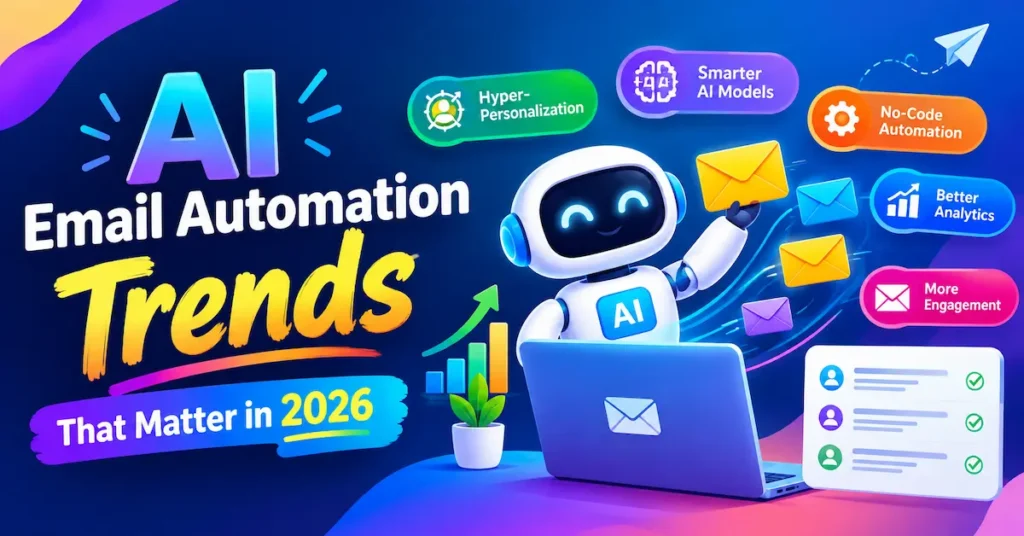
What’s Driving AI Email Automation Trends in 2026?
Email didn’t get quieter. AI just got cheap enough to live inside every inbox and sending platform.
The clearest signal came on 8 January 2026. Google announced a Gemini-powered overhaul of Gmail, with AI email personalizing scale Overviews, smarter reply suggestions and a new AI Inbox for its 3 billion users. Thread summaries are free for everyone. Asking your inbox direct questions needs a paid Google AI Pro or Ultra plan.
The rollout began in US English, with other languages and regions following in stages. If you’re in the UK, Canada or Australia, check your Gmail settings before assuming a feature is live on your account.
Marketers are moving just as fast. In a HubSpot survey of 300 email marketers, 68% planned to increase their AI investment over the next year. Precedence Research projects the AI email assistant market will grow from $1.1 billion in 2026 to $8.9 billion by 2035.
📊 Advanced AI adopters are 28% more likely than early-stage teams to send emails in under a day — Litmus, State of Email Report, 2026
That speed matters if you’re a one-person business. Every hour you save on email is an hour you can bill, pitch or sell.
Key Takeaway: AI has moved from a feature you switch on to a layer built into the inbox and the platforms you already use.
4 AI Email Automation Trends Changing Your Inbox in 2026
These four shifts affect anyone who reads email, whether you freelance, run a shop or manage clients.
Trend 1: AI Summaries Replace Reading Entire Threads
Long reply-all chains now collapse into a few key points. Gmail’s AI Overviews do this at no cost.
An AI email assistant like Shortwave goes further by searching your full Gmail history. Ask “what did the client agree on pricing?” and you get an answer instead of a scroll marathon.
Trend 2: AI Priority Sorting Replaces Manual Filters
Old filters needed rules you wrote yourself. AI email automation templates free inboxes learn from what you open and answer, then surface bills, deadlines and VIP clients first.
Google’s AI Inbox follows this idea, though availability depends on your plan, region, language and admin settings.
Trend 3: Drafts That Match Your Voice
Smart replies have grown from “Sounds good!” into full drafts that use thread context. Tools such as Fyxer and Superhuman can write replies before you even open the email, though Superhuman gates that feature behind its higher Business tier.
Treat every draft as a first pass, not a final one.
💡 Pro Tip: Pick your five most common emails (quote, follow-up, scheduling, invoice reminder, polite no) and write one ideal version of each. Save them as examples your AI assistant can copy, so drafts start close to your voice from day one.
Trend 4: From Reading Emails to Acting on Them
The next frontier closes the gap between reading and doing. Leading tools can spot a meeting request and propose times on your calendar, or turn a client message into a task.
Connector platforms like Zapier help here, since they link your inbox to your calendar, CRM and project board.
Key Takeaway: The 2026 inbox summarises, prioritises, drafts and increasingly acts, so your job shifts from processing email to approving it.
3 AI Email Marketing Trends for Freelancers and Small Businesses
If you send newsletters, outreach or sales sequences, these three trends matter most. Email automation for small business has never been this accessible.
Trend 5: Always-On Lifecycle Flows
Welcome series, abandoned-cart reminders and win-back emails now run themselves. You build them once, and they keep selling while you sleep.
📌 Real Example: A family lifestyle brand in Australia used Klaviyo email automations, built around customer lifecycle personalisation across 22 live flows, to grow flow revenue 37% year over year.
Trend 6: Personalisation Based on Behaviour, Not First Names
Merge tags are table stakes now. AI email marketing tools segment people by what they click, buy and ignore.
Even a freelancer with 500 subscribers can send three versions of one email: one for new leads, one for past clients and one for people who never open.
Trend 7: Writing for AI Summaries as Well as People
As inboxes summarise messages, your subject line and opening lines carry more weight. One 2026 analysis argues the real story is AI quietly becoming part of the normal email workflow rather than a separate feature.
So lead with the point, keep one clear ask per email and put key details early. Don’t write robotic copy to please a machine.
Key Takeaway: Automate the repeatable flows, personalise by behaviour, and write emails that still make sense when an AI shortens them.
Best AI Email Automation Tools to Try in 2026
You don’t need one app for all seven trends. Match the tool to the job.
Here are six real tools worth testing, with prices cross-checked against vendor pages and recent comparisons.
1. Gmail + Gemini
Best For: Free summaries and drafting help for Gmail users
Free Plan: Yes (summaries)
Starting Price: $0; Google AI Pro from $19.99 / £18.99
Our Rating: ⭐ 4.4/5
Gmail + Gemini is a great option for Gmail users who want AI-powered email summaries, drafting assistance, and everyday productivity features without paying upfront.
2. Shortwave
Best For: Gmail power users who want AI search and drafts
Free Plan: Yes
Starting Price: $18 / ~£14 per month (Pro)
Our Rating: ⭐ 4.4/5
Shortwave is designed for users who manage large volumes of email and want powerful AI search, smart organization, and faster email drafting.
3. Superhuman Mail
Best For: Speed-focused professionals
Free Plan: No
Starting Price: $25 billed annually / ~£19 per month
Our Rating: ⭐ 4.3/5
Superhuman Mail focuses on speed and productivity, making it a strong choice for professionals who want to process emails quickly and streamline their daily workflow.
4. Fyxer
Best For: Hands-off sorting and draft replies
Free Plan: Limited
Starting Price: $30 monthly / ~£22 per month
Our Rating: ⭐ 4.2/5
Fyxer is ideal for people who want AI to handle more of their inbox automatically, including sorting emails and preparing draft replies.
5. Klaviyo
Best For: Ecommerce email and SMS flows
Free Plan: Yes
Starting Price: From ~ $20 / ~£15 per month
Our Rating: ⭐ 4.6/5
Klaviyo is a strong choice for ecommerce businesses that need advanced email marketing, SMS campaigns, customer segmentation, and automated marketing flows.
6. Zapier
Best For: Connecting email to calendars, CRMs, and tasks
Free Plan: Yes
Starting Price: From $19.99 / ~£15 per month
Our Rating: ⭐ 4.5/5
Zapier is best for connecting email with other business tools. It can automate workflows between email, calendars, CRMs, project-management platforms, and task apps without requiring extensive coding.
If you freelance on Gmail, start free with Gemini’s summaries and add Shortwave only if it saves you more than an hour a month. Online store owners should look at Klaviyo first.
A note on prices: most vendors bill in USD. Readers in the UK, Canada and Australia should expect exchange-rate differences and local tax on top. GBP figures above are approximate conversions.
Key Takeaway: Start with free built-in features, then pay for one tool that solves your single biggest email bottleneck.
3 Risks to Check Before You Automate Your Email
Automation speeds up your mistakes as fast as your wins. Check these three things first.
Privacy and Training Settings
Your inbox holds contracts, invoices and client secrets. Google says Gmail content is not used to train its public AI models, but policies vary by vendor.
One 2026 comparison reports that at least one popular AI email assistant has its AI-training setting on by default. Read the privacy settings before you connect any account.
Consent Laws Differ by Country
Marketing email rules aren’t identical across your markets.
- USA: CAN-SPAM requires honest sender details and a working opt-out.
- UK: UK GDPR and PECR generally require consent for marketing to individuals.
- Canada: CASL requires express or implied consent before you send.
- Australia: The Spam Act 2003 requires consent, clear sender identity and an unsubscribe option.
AI doesn’t change these rules. It just lets you break them faster if you’re careless.
Tool Lock-In and Over-Automation
Email apps come and go. Notion Mail, for example, was scheduled to sunset on 22 September 2026, so keep your contacts and templates exportable.
And never fully automate sensitive messages like complaints, refunds or bad news. Those still need a human.
Key Takeaway: Check privacy settings, follow your country’s consent rules, and keep a human in charge of anything sensitive.
How to Put AI Email Automation Trends 2026 to Work in 5 Steps
You don’t need a big budget or a technical background. Follow this order.
- Audit your week. Note which emails you write over and over. Those are your automation targets.
- Switch on free features first. Use Gmail’s thread summaries and smart replies before paying for anything.
- Automate one flow. A welcome email for new subscribers or leads is the easiest first win.
- Keep a review rule. For the first 30 days, let AI draft and let yourself approve.
- Measure monthly. Track reply time, hours saved and revenue from automated flows.
💡 Pro Tip: Before buying any tool, time your email use for five working days with a simple phone timer. If it totals under five hours a week, free built-in AI is probably enough.
Key Takeaway: Start small, automate one repeatable task, and let real numbers decide what to upgrade.
Frequently Asked Questions
The big shifts are AI thread summaries, priority sorting, voice-matched drafts, inbox assistants that act on emails, always-on lifecycle flows, behaviour-based personalisation and writing for AI summaries. Most are built into tools you already use.
It uses language models to read, sort and draft emails based on your past behaviour and instructions. Connected tools can also trigger actions, such as scheduling a meeting or sending a follow-up flow.
Yes, if you send repeat emails like quotes, follow-ups and invoices. Even free features like Gmail summaries can save time. Paid tools make sense once email takes more than a few hours a week.
Mostly. Tools learn from your past emails and examples, but drafts still need a quick edit. Giving the AI five or six of your best emails improves results noticeably.
Gmail's built-in Gemini features are the best free starting point. Shortwave suits Gmail power users who want AI search and drafts, though it doesn't support Outlook.
Not automatically. Deliverability depends on sender authentication (SPF, DKIM, DMARC), list quality and engagement. Generic, mass-produced copy can hurt engagement, so edit AI drafts before sending.
It began as a limited test with US English users, and Google said it would expand over time. Availability depends on your plan, language, region and admin settings, so check your account directly.
You can start for free with built-in Gmail summaries and free plans from Shortwave, Klaviyo and Zapier. Paid assistants typically run from about $18 to $30 per user per month (roughly £14 to £22).
Summaries can change what recipients actually read before deciding to open. Strong subject lines and clear opening sentences help your message survive being shortened.
No. AI handles drafting, segmentation and scheduling, but strategy, brand voice and compliance still need a person. HubSpot's data shows marketers spend real time editing AI output rather than sending it untouched.
Final Thoughts
The AI email automation trends 2026 is delivering that matter most are smarter inboxes that summarise and prioritise for you, always-on flows that sell while you work, and drafts that match your voice. Start with free features, automate one repeatable flow, and keep a human in the loop for anything sensitive.
The inbox you dread today can be the one you barely think about next month. Pick one task, automate it this week, and let the saved hours add up.