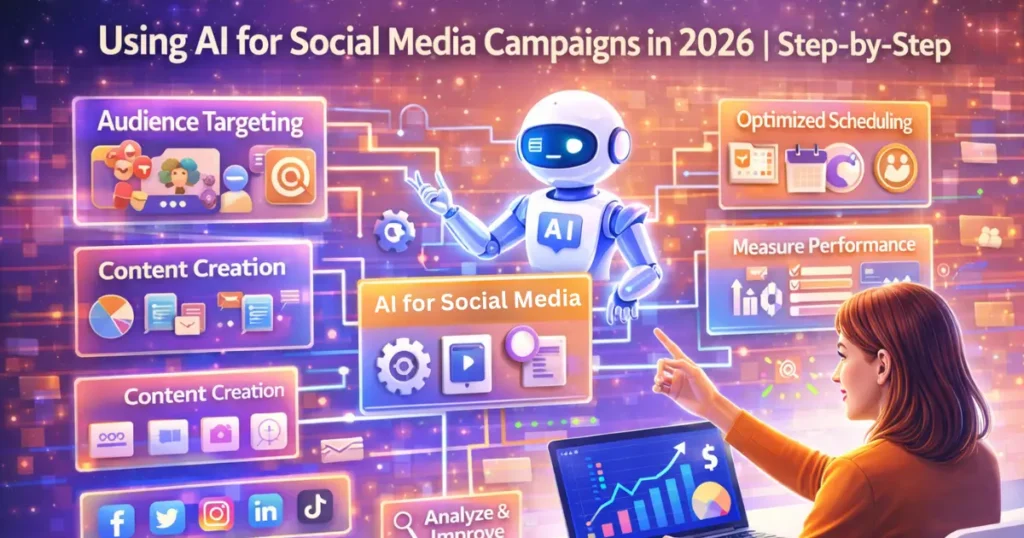
Finding the best AI video marketing tools in 2026 shouldn’t take longer than making the video itself. This guide narrows dozens of platforms down to six, with pricing in USD and GBP, free-plan limits, and a clear match between each tool and the job it does best. Whether you freelance, run a small business, or manage campaigns in-house, you’ll leave knowing exactly where to start.
The confusing part is that these tools do very different things. Some build avatar presenters, some clip long recordings into Shorts, and some generate footage from a prompt.
First, let’s sort out what to look for.
How to Choose the Best AI Video Marketing Tools in 2026
Tool lists fail when they ignore what you actually need to make. Start with the job you need done, then compare prices.
Match the Tool to the Job
AI video tools fall into four groups. Avatar tools like HeyGen and Synthesia turn a script into a presenter video. Clipping tools like Opus Clip cut long recordings into short clips.
AI video editing software like Descript lets you trim footage by editing a transcript. Generators like Runway and InVideo AI create footage or full videos from a prompt. Pick the group first, and the shortlist shrinks fast.
Check the Real Cost Per Finished Video
Sticker price is only half the story. Many generators charge in credits, so a $15 plan can cover surprisingly little premium footage.
One 2026 pricing breakdown estimates Runway’s Standard plan covers about 52 seconds of its newest model’s video each month. Divide the monthly price by the videos you’ll actually publish.
Confirm Licensing, Watermarks, and Consent
Free plans usually add watermarks. That’s fine for testing but not for client work. Always read the commercial-use terms before you publish.
And only clone a face or voice you have permission to use. That includes your own, so keep a record of your consent.
For the wider toolkit around video, see our guide to AI solutions for marketing.
Key Takeaway: Choose the tool category that matches your job first, then compare the cost per finished video.
6 Best AI Video Marketing Tools Compared
Here are six tools that cover every job above, with prices checked in November 2026 (GBP figures are approximate conversions).
1. HeyGen – Best for AI Avatars and Video Translation
Best For: Creating AI avatar videos and translating videos into multiple languages.
Free Plan: Yes, limited free plan available.
Starting Price: Approximately $24–29 / £18–22 per month.
Our Rating: ⭐ 4.6/5
2. Synthesia – Best for Presenter-Style Explainer Videos
Best For: Professional presenter-style videos, training content, and business explainers.
Free Plan: Yes, approximately 3 minutes of video.
Starting Price: Approximately $18–29 / £14–22 per month.
Our Rating: ⭐ 4.4/5
3. InVideo AI – Best for Prompt-to-Video Creation
Best For: Turning text prompts into videos using stock footage.
Free Plan: Yes, with watermarks.
Starting Price: Approximately $20–28 / £15–21 per month.
Our Rating: ⭐ 4.3/5
4. Descript – Best for Text-Based Video Editing
Best For: Editing videos by editing their transcripts and text.
Free Plan: Yes, approximately 1 hour of media.
Starting Price: Approximately $12 / £9 per month (annual billing).
Our Rating: ⭐ 4.5/5
5. Opus Clip – Best for Repurposing Long Videos
Best For: Turning long videos into short-form content for YouTube Shorts, Instagram Reels, and TikTok.
Free Plan: Yes, approximately 60 minutes of input with a watermark.
Starting Price: Approximately $9–19 / £7–14 per month.
Our Rating: ⭐ 4.4/5
6. Runway – Best for Cinematic AI Video Generation
Best For: Creating cinematic AI-generated clips, creative visuals, and B-roll footage.
Free Plan: Yes, with 125 one-time credits.
Starting Price: Approximately $12–15 / £9–11 per month.
- Our Rating: ⭐ 4.5/5
If you only try one tool, start with HeyGen for avatar-led explainers, or Opus Clip if you already have long videos to repurpose.
Prices shift with billing cycle and region, so treat the ranges as a guide. In the USA, list prices are what you’ll see at checkout. UK buyers will pay roughly the GBP figures shown, and Synthesia, a London-founded company, is a handy local option.
Canadian and Australian marketers should note that most of these tools bill in USD. Expect small card exchange fees on top.
Key Takeaway: Test the free plans first, and only pay once a tool clearly fits the videos you publish every week.
5 Ways to Use AI Video Tools in Your Marketing
Owning a tool isn’t a strategy. These five uses give you the fastest return, and each maps to a tool above.
1. Repurpose Long Content Into Shorts
Upload a webinar, podcast, or YouTube video to Opus Clip. It finds the highlight moments, then crops and captions them for Shorts, Reels, and TikTok. Descript works well when you also want to tidy the original.
2. Publish Talking-Head Explainers Without a Camera
HeyGen and Synthesia turn a script into a presenter video. This suits product walkthroughs, FAQs, and course lessons. AI avatar videos work best when the script is short and specific.
3. Make Social Ads and Product Clips From a Prompt
InVideo AI builds a full video from a text prompt, using stock and AI footage. Runway generates cinematic B-roll for hooks and transitions. Use both sparingly, since credits add up quickly.
4. Translate Videos for New Markets
HeyGen and Synthesia can localise a video into other languages. That lets a UK freelancer reach Canadian French speakers or Australian audiences without reshooting. Always have a native speaker check the result.
5. Personalise Videos in Outreach
A short video in a follow-up email often stands out from plain text. Pair your video tool with the setups in our guides to AI email personalisation at scale and the best AI tools to automate email follow-ups.
💡 Pro Tip: Paste the intro of your best-performing blog post into the free plan of HeyGen or Synthesia today, and turn it into a 30-second video.
Key Takeaway: Match each tool to one repeatable format, such as weekly Shorts or monthly explainers, rather than chasing every feature.
Real Results: What AI Video Marketing Delivers
Video is no longer an experiment. AI is simply making it faster to produce.
📊 63% of video marketers have used AI tools to help create or edit marketing videos — Wyzowl, 2026
Wyzowl’s same survey found that 82% of video marketers report a good return on investment. But speed alone doesn’t create results. Consistency does.
📌 Real Example: A realtor in Canada used HeyGen’s AI avatar to scale weekly video production, and he now reaches around 770,000 people a month, according to HeyGen’s own customer story.
Notice the pattern. He didn’t chase every format. He built one repeatable video habit and let the tool handle production.
You can copy that approach at any size. Freelancers can pair it with the follow-up systems in our guide to AI email automation for coaches, consultants, and freelancers. To track whether your videos pay off, use the benchmarks in our AI email automation ROI guide.
Key Takeaway: The biggest gains come from publishing one repeatable video format consistently, not from using more tools.
4 Mistakes That Waste Your AI Video Budget
Most wasted spend comes from the same four errors. Avoid them, and your first month goes much smoother.
Mistake 1: Hiding That It’s AI
Audiences notice when something feels off, and platforms such as YouTube and TikTok ask creators to label realistic AI-generated content. Be upfront. Honest labelling protects your reputation.
Mistake 2: Skipping the Hook and Captions
An AI video with a weak first three seconds still gets scrolled past. Lead with the problem or result, and always add captions, since many people watch on mute.
Mistake 3: Buying on Sticker Price
A cheap plan with tight credit limits can cost more per finished video than a pricier one. Work out your cost per published video before you commit.
Mistake 4: Never Measuring
Without a baseline, you can’t tell whether a tool helps. Record your starting production hours and results first, then compare after 30 days.
If you want to connect video publishing to the rest of your workflow, see our Make.com vs Zapier comparison.
💡 Pro Tip: Set a calendar reminder for 30 days from now, and compare hours spent per video and views per video against today’s numbers.
Key Takeaway: Be transparent about AI, prioritise strong hooks, judge cost per video, and measure results from day one.
Frequently Asked Questions
HeyGen, Synthesia, InVideo AI, Descript, Opus Clip, and Runway cover most marketing needs. HeyGen and Synthesia suit avatar videos, Opus Clip and Descript suit repurposing and editing, and Runway and InVideo AI suit prompt-based creation.
HeyGen and InVideo AI are friendly starting points because you can begin from a script or prompt. Opus Clip is also simple if you already have long videos. All three offer free plans or trials.
Most paid plans start between roughly $9 and $29 (about £7–£22) per month. Prices vary by billing cycle and credit limits. Always check the live pricing page before subscribing.
Not entirely. They handle explainers, social clips, and repurposing very well. Brand films, events, and high-end ads still benefit from human crews.
They can be, especially for explainers, onboarding, and FAQ content where clarity matters more than emotion. Keep scripts short, add captions, and label the video as AI-generated where required.
Opus Clip is built for this. It finds highlight moments in a long recording, then crops and captions them for vertical platforms. It doesn’t generate video from scratch, so you need source footage.
Start with free plans, pick one format, and publish it weekly. Repurposing existing content with a clipping tool is usually the cheapest first step.
It’s safe when you have consent, follow each tool’s commercial-use terms, and label AI content where platforms require it. Never clone someone’s face or voice without permission. This is general guidance, not legal advice.
Overly smooth delivery, flat scripts, and unnatural pacing make avatars feel robotic. Writing conversational scripts and mixing in real screen recordings or photos helps a lot.
Track production hours saved, views, watch time, and leads or sales from each video. Compare these against your numbers from before you used the tool, over at least 30 days.
Final Thoughts
The best AI video marketing tools share three traits: they fit one clear job, cost little per finished video, and come with licensing you can trust. Start with the free plans of HeyGen, Opus Clip, or Descript. Then measure results before you add anything else.
Pick one format, publish it every week for a month, and let your own numbers show you what to scale next.