
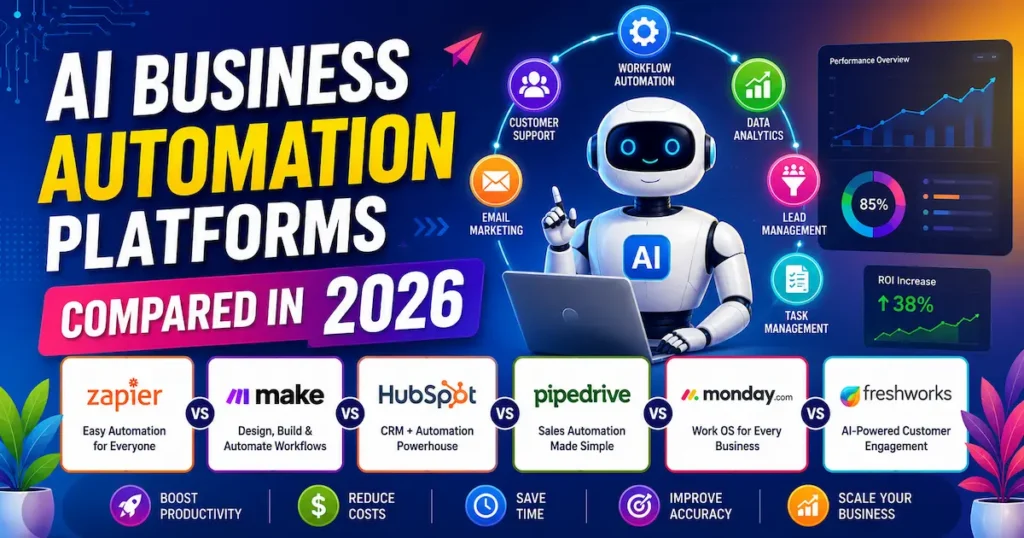
AI business automation platforms in 2026 are transforming the way companies manage daily operations, reduce manual workload, and improve overall productivity. These platforms are designed to automate repetitive tasks such as data entry, The futuristics, customer support, email marketing, workflow management, and lead handling, allowing businesses to focus more on growth and strategy.
Why Businesses Need AI Automation Platforms
AI automation platforms use advanced technologies like machine learning, predictive analytics, and intelligent workflows to handle tasks automatically. From customer support and marketing to sales and data management, businesses can save both time and money by using AI-powered tools.
- As a business grows, AI automation platforms help manage increasing workloads without hiring large teams.
- AI automation tools help businesses personalize marketing campaigns, generate leads, and improve conversion rates.
- AI platforms analyze large amounts of business data quickly and provide valuable insights for smarter decisions.
- Businesses can automate repetitive activities like email responses, lead management, scheduling, and reporting, which lowers operational expenses.
Benefits of AI Automation for Modern Businesses
AI automation platforms are becoming essential for businesses of all sizes because they improve workflow management, reduce human errors, and help companies stay competitive in fast-changing markets. Small businesses, startups, and large enterprises can all benefit from AI-powered automation solutions.
Companies using AI chatbots for small business automation tools often experience:
- Improved employee performance
- Higher sales conversions
- Better workflow management
- Increased business growth opportunities
Zapier vs Make vs HubSpot vs Pipedrive vs Monday.com vs Freshworks Complete Comparison
Choosing the right AI automation platform is important for improving productivity, automating workflows, managing customer relationships, and scaling business operations. Each platform offers unique features designed for different business needs, from workflow automation and CRM management to customer support and project collaboration. These tools serve different purposes, so we group them into 3 categories: Automation, CRM, and Project Management
Zapier vs Make
| Feature | Zapier | Make (Integromat) |
|---|---|---|
| Ease of Use | Very easy, beginner-friendly | Slight learning curve, but more powerful |
| Interface | Simple step-based (linear workflows) | Visual drag-and-drop workflow builder |
| Automation Type | Basic to moderate automation | Advanced & complex automation |
| Workflow Design | Linear “Zaps” | Flexible, flowchart-style scenarios |
| Integrations | 6,000+ apps | 1,500+ apps (but strong core tools) |
| Custom Logic | Limited (paid plans needed) | Advanced logic, routers, and filters built in |
| Pricing | Generally more expensive | More cost-effective for heavy usage |
| Speed of Setup | Very fast | Medium (needs setup time) |
| Best For | Beginners, SMBs, quick automation | Developers, advanced users, complex workflows |
| Error Handling | Basic | Advanced monitoring & control |
| API Flexibility | Good | Excellent |
Make vs HubSpot
| Feature | Make | HubSpot |
|---|---|---|
| Main Purpose | Workflow automation & integrations | CRM + marketing, sales & service platform |
| Type of Tool | Automation platform | All-in-one business growth platform (CRM) |
| Ease of Use | Medium (visual builder, needs learning) | Easy for CRM, medium for advanced features |
| Focus Area | Connecting apps & automating tasks | Managing customers, leads, and sales pipeline |
| Automation Power | Very strong (advanced logic, branching, APIs) | Strong but mainly CRM-focused automation |
| Integrations | 1,500+ apps | 1,000+ integrations (plus native tools) |
| CRM Feature | Not built-in | Core feature (very advanced CRM system) |
| Marketing Tools | Limited (needs integrations) | Email marketing, ads, landing pages, SEO tools |
| Sales Tools | Not available natively | Full sales pipeline & deal tracking |
| Pricing | Cheaper for automation-heavy use | Can be expensive as you scale |
| Best For | Developers, automation experts, complex workflows | SMBs, marketers, sales teams, full customer management |
HubSpot vs Pipedrive
| Feature | HubSpot | Pipedrive |
|---|---|---|
| Main Purpose | All-in-one CRM + marketing, sales, service | Sales-focused CRM |
| Type of Tool | Full business growth platform | Lightweight sales pipeline CRM |
| Ease of Use | Easy, but feature-rich (can feel heavy) | Very simple and beginner-friendly |
| CRM Strength | Very advanced (enterprise-level features) | Strong but focused only on the sales pipeline |
| Sales Pipeline | Available + customizable | Core feature (best-in-class visual pipeline) |
| Marketing Tools | Email marketing, ads, SEO, landing pages | Very limited (needs integrations) |
| Automation | Advanced workflows (mostly paid tiers) | Simple automation (deal tracking, reminders) |
| Reporting & Analytics | Deep analytics & dashboards | Basic to moderate reporting |
| Integrations | 1,000+ integrations | 500+ integrations |
| Customization | High but complex | Simple and flexible |
| Pricing | Free plan available, paid plans can get expensive | More affordable and straightforward pricing |
| Best For | SMBs to enterprises needing a full CRM ecosystem | Small to mid-sized sales teams |
Pipedrive vs Monday.com
| Feature | Pipedrive | Monday.com |
|---|---|---|
| Main Purpose | Sales CRM (pipeline management) | Work management + CRM + project tracking |
| Type of Tool | Sales-focused CRM | Flexible work OS (CRM + PM tool) |
| Ease of Use | Very simple, built for sales teams | Easy but feature-rich, takes time to explore |
| Core Strength | Visual sales pipeline & deal tracking | Custom workflows for teams & projects |
| Sales Management | Excellent (built specifically for it) | Good, but not as deep as CRM-focused tools |
| Project Management | Not Available | Very strong (task, timeline, boards) |
| Automation | Basic automation (follow-ups, reminders) | Advanced automation across workflows |
| Customization | Limited but focused | Highly customizable (boards, workflows, dashboards) |
| Reporting & Analytics | Sales-focused reports | Flexible dashboards for multiple use cases |
| Integrations | ~500+ apps | 200+ apps (plus strong native features) |
| Best For | Sales teams, small to mid-sized businesses | Teams needing CRM + project + operations in one place |
| Learning Curve | Very low | Medium |
Pipedrive vs Monday.com
| Feature | Pipedrive | Monday.com |
|---|---|---|
| Main Focus | Sales CRM | Work OS (CRM + project management) |
| Best Use Case | Managing leads & sales pipeline | Managing teams, tasks, projects, and CRM together |
| Ease of Use | Very easy, sales-first design | Easy but more features to explore |
| Pipeline Management | Excellent (core strength) | Available but not as advanced |
| Project Management | Not Available | Strong (boards, timelines, task tracking) |
| Automation | Basic sales automation | Advanced workflow automation |
| Customization | Limited but focused | Highly flexible & customizable |
| Reporting | Sales-specific reports | multi-purpose dashboards |
| Integrations | ~500+ apps | 200+ apps + native tools |
| Best For | Sales teams, startups, SMBs | Teams needing all-in-one work management |
Best Use Cases of AI Business Automation Tools
- Lead Generation & Sales Automation: AI tools collect, filter, and qualify leads automatically, helping sales teams close deals faster and more efficiently.
- Customer Support Automation: AI chatbots handle common customer queries 24/7, improving response time and increasing customer satisfaction.
- Marketing Automation: Businesses use AI for email campaigns, social media scheduling, and personalized content based on user behavior.
- Workflow & Task Management: Repetitive tasks like data entry, reporting, and follow-ups are automated to save time and reduce errors.
- Data Analysis & Insights: AI analyzes large data sets to provide actionable insights for better decision-making.
- Process Optimization: AI improves overall business workflows by reducing manual effort and increasing productivity.
Choosing the Right AI Tool for Workflow Automation
Choosing the right tools for AI automation increases small businesses‘needs, goals, and budget. First, identify what you want to automate, such as sales, marketing, customer support, or project management. Different tools are designed for different purposes, so clarity is important.
If your team is not technical, choose a simple and user-friendly platform that requires little to no coding. Also, check integration options to make sure the tool works smoothly with your existing apps like CRM, email, or project management software.
FAQ
AI business automation platforms are tools that use artificial intelligence to automate tasks like marketing, sales, customer support, and workflow management.
They help businesses save time, reduce manual work, improve productivity, and make smarter data-driven decisions.
Zapier is better for beginners with simple workflows, while Make is better for advanced and complex automation
HubSpot is an all-in-one CRM with marketing and sales tools, while Pipedrive focuses mainly on sales pipeline management.
Yes, Monday.com can be used as a CRM, but it is mainly a work management and project collaboration platform
They improve efficiency, reduce human errors, speed up processes, and help businesses scale operations easily.
Tools like HubSpot and Pipedrive are widely used for sales automation and lead management.
Choose based on your needs, budget, ease of use, and required features like CRM, marketing automation, or workflow management.
Final thought
AI business automation platforms are reshaping how companies operate in 2026 by making workflows faster, smarter, and more efficient. From tools like Zapier and Make for automation to HubSpot, Pipedrive, and Monday.com for CRM and project management, each platform serves a unique business purpose. The right choice depends on your goals, team size, budget, and required features. These AI tools help automate repetitive tasks such as lead generation, customer support, marketing, and reporting, allowing businesses to focus on growth and strategy. As competition increases, companies that adopt AI automation early will gain a strong advantage in productivity and decision-making.
Overall, AI automation is now a core part of modern business success and is essential for scaling operations effectively.