AI email automation for real estate agents fixes a problem you already know too well. A hot lead emails at 9 p.m., you reply the next afternoon, and they’ve already booked a viewing with someone else.
Speed wins deals, and nobody can reply instantly around the clock. Software can.
The futuristics, In this guide, you’ll learn what to automate, which tools are worth paying for, and how to build your first follow-up sequence in an afternoon. You’ll also see a real case study and the email laws that apply in the USA, UK, Canada, and Australia. First, let’s clear up what this technology actually does.
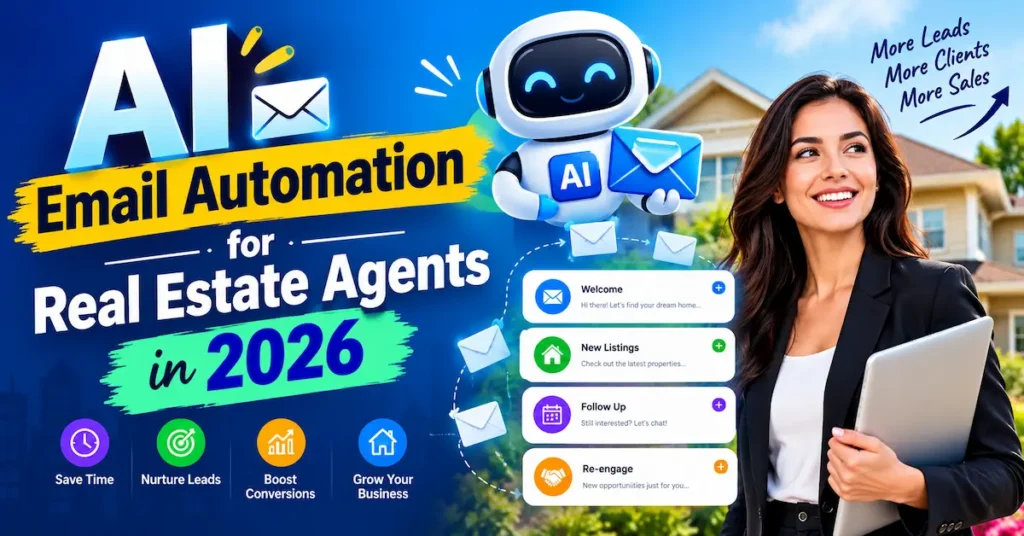
What AI Email Automation for Real Estate Agents Actually Does
Think of it as a junior assistant who never sleeps, never forgets a follow-up, and writes a decent first draft every time. It watches for triggers, such as a new inquiry or a missed open house. Then it sends the right email at the right moment.
Automation vs. AI: The Simple Difference
Automation is the “when.” A rule says: if someone fills in your valuation form, send Email 1 now, Email 2 in two days, and Email 3 in a week.
AI is the “what.” It drafts the subject lines, personalises the copy to the lead’s neighbourhood or budget, and suggests which contacts to prioritise.
Put them together and you get real estate email marketing automation that feels personal without eating your evenings.
What Still Needs a Human
AI handles the repetitive first touch. You handle everything that involves trust.
That means negotiating, pricing advice, and answering the awkward question about a leaking roof. If a lead replies with a real question, a person should pick it up fast.
Here is the practical split:
- Automate: welcome emails, drip sequences, reminders, anniversary notes, market updates.
- Keep manual: offers, price conversations, sensitive client situations.
Most agents don’t lose deals because their emails were bad. They lose them because the follow-up never happened. A well-built system makes sure it always does.
Key Takeaway: AI drafts and automation delivers, but you still own the relationship once a lead replies.
5 Real Estate Email Sequences Worth Automating First
Don’t try to automate everything at once. Start with the sequences that touch the most leads and cost you the most time.
1. The Instant Welcome Email
Send it within minutes of a new inquiry. Confirm you got their message, set expectations, and ask one easy question, like “Are you buying in the next three months?”
2. The Buyer Drip
Real estate drip campaigns work best when each email does one job. Email 1 shares a local market snapshot. Email 2 explains the buying process. Email 3 invites them to book a viewing.
3. The Seller Nurture Series
This one is triggered by a “what’s my home worth?” form. Follow up with recent neighbourhood sales, a short guide to prepping a home, and a soft invitation to a valuation call.
4. The Open House Follow-Up
Everyone who signs in gets a thank-you within the hour. Include the listing details, two similar homes, and a link to book a private tour.
5. The Past-Client Check-In
Your past clients are your cheapest source of referrals. Automate home-anniversary emails and a quarterly “here’s what your home is worth now” note.
💡 Pro Tip: Open your AI assistant today and paste this: “Write a 4-email follow-up sequence for first-time buyers in [your city] with a budget of [range]. Keep each email under 120 words with one clear call to action.” Edit the result in your own voice and you’ve got your first draft in five minutes.
Key Takeaway: Start with the welcome email and one drip sequence, because those two catch the most lost leads.
Best AI Email Automation Tools for Real Estate Agents in 2026
The right tool depends on how many leads you handle and whether you already use a CRM. The simplest stack for most solo agents is a CRM that tracks leads plus an email platform that sends the sequences.
Here are six real tools worth comparing. Prices are approximate entry-level figures billed annually, and GBP is converted roughly, so check each vendor’s page before you buy.
Follow Up Boss
Best For: Real estate CRM with automatic follow-up
Free Plan: No (free trial)
Starting Price: ~$69 / ~£52 per user/month
Our Rating: ⭐⭐⭐⭐⭐ 4.5/5
HubSpot
Best For: Free CRM plus email sequences
Free Plan: Yes
Starting Price: ~$20 / ~£15 per seat/month
Our Rating: ⭐⭐⭐⭐⭐ 4.5/5
ActiveCampaign
Best For: Advanced drip campaigns
Free Plan: No (free trial)
Starting Price: ~$15 / ~£11 per month
Our Rating: ⭐⭐⭐⭐☆ 4.4/5
Mailchimp
Best For: Beginners and simple newsletters
Free Plan: Yes
Starting Price: ~$13 / ~£10 per month
Our Rating: ⭐⭐⭐⭐☆ 4.0/5
Brevo
Best For: Budget-friendly email sending
Free Plan: Yes
Starting Price: ~$9 / ~£7 per month
Our Rating: ⭐⭐⭐⭐☆ 4.1/5
Zapier
Best For: Connecting your CRM, forms, and email
Free Plan: Yes
Starting Price: ~$20 / ~£15 per month
- Our Rating: ⭐⭐⭐⭐☆ 4.3/5
If you’re a solo agent on a budget, start with HubSpot’s free CRM or Brevo. If you already live inside a real estate CRM, add Zapier to connect it to your email platform.
Pricing and Availability by Country
USA and Canada: Follow Up Boss is built around North American real estate workflows, so it’s a natural fit here. Always check whether your MLS or brokerage already bundles a CRM, because many do.
UK: Most UK agents run property-specific CRMs such as Alto or Reapit. Zapier can link them to Brevo or Mailchimp for the email side. All pricing above is shown in GBP for your convenience.
Australia: Agents often pair local CRMs such as Agentbox with a general email tool. Check whether pricing is billed in AUD, since exchange rates can change your monthly cost.
Key Takeaway: Pick one CRM and one email tool, then connect them, instead of buying five overlapping platforms.
How to Set Up Real Estate Email Marketing Automation in 6 Steps
You don’t need a developer. You need a clear plan and about two hours.
- Clean your contact list. Remove bounced emails and anyone who never agreed to hear from you. A small, clean list beats a large, dead one.
- Segment your leads. At minimum, split contacts into buyers, sellers, and past clients. Each group needs different messages.
- Pick one trigger to automate. Choose a new-lead form submission. Connect it to your CRM or email platform.
- Draft the sequence with AI. Ask for three to five short emails. Add your name, your neighbourhood knowledge, and one real detail per email.
- Add a stop rule. The sequence should stop the moment a lead replies or books a call. Nothing feels worse than an automated email after a real conversation has started.
- Test before you launch. Send the full sequence to yourself and a colleague. Check links, names, and how it looks on a phone.
Review results after 30 days. Look at open rates, replies, and booked calls, then tweak your subject lines first, because they’re the fastest win.
💡 Pro Tip: Create one custom field in your CRM called “Timeline” (0–3 months, 3–6 months, 6+ months) and use it to choose which sequence each lead enters. Hot leads get a faster cadence, and cold ones get a gentle monthly note.
Key Takeaway: One trigger, one sequence, and one stop rule is enough to launch properly this week.
What Results to Expect From AI Email Automation for Real Estate Agents
Email is one of the few channels where real estate beats the average, which makes automation even more worthwhile. The opportunity is that most agents still send manually, or not at all.
📊 Real estate email open rates reach 42.71% in 2026, ahead of the 39.64% all-industry average — GetResponse, 2026
Open rates aren’t deals, of course. Real estate’s conversion rate per email sent is a modest 2.86% in the same benchmarks, so the win comes from volume and consistency rather than one perfect message. Automation gives you both without extra hours.
A Real Case: $1,400 in Ads, One $6 Million Sale
📌 Real Example: A luxury real estate team in the USA (Los Angeles) used automated AI lead nurture alongside a $1,400 “how much is my home worth” ad campaign to send 726 follow-up messages to 96 prospects over three months, producing a 14% response rate and a $6 million sale — Luxury Presence case study.
This result is vendor-reported, so treat active campaign by hobspot ai it as a best-case example rather than a promise. It still shows the pattern that matters. Fast, persistent follow-up on a warm lead can turn a tiny ad budget into a major commission.
What’s Realistic for Solo Agents
If you’re a solo agent in the UK, Canada, or Australia with a few dozen leads a month, expect smaller numbers. A realistic first goal is to reply to every inquiry within minutes and never let a lead go quiet by accident. That alone puts you ahead of most of your local competition.
Key Takeaway: Consistent follow-up, not clever copy, is where automation pays you back.
AI Email Automation for Real Estate Agents: 4 Mistakes and Legal Rules
Automation amplifies whatever you give it, including mistakes. Avoid these four.
Mistake 1: Sounding Like a Robot
If every email reads the same, clients notice. Add a personal line, a local detail, or a sentence from your own experience before you hit send.
Mistake 2: Trusting AI With Property Facts
AI can invent details such as school ratings, square footage, or renovation dates. Check every fact against the listing or MLS record before it goes out.
Mistake 3: Ignoring Email Laws
Rules differ by country, and the penalties are real. This is general information, not legal advice, so confirm details with your brokerage or a local professional.
- USA: CAN-SPAM requires a working unsubscribe link and your physical address in commercial emails.
- Canada: CASL requires express or properly implied consent before you send marketing emails.
- UK: UK GDPR and PECR require a lawful basis, and generally consent, for marketing emails to individuals.
- Australia: The Spam Act 2003 requires consent, clear sender identification, and a functioning unsubscribe option.
Mistake 4: No Human Handoff
Automation should hand the lead to you the moment they show interest. Set a notification so you see every reply, booking, and link click on your pricing guide.
Key Takeaway: Personalise every sequence, verify every fact, and respect each country’s consent rules.
Frequently Asked Questions
It’s the use of software to send timed, personalised emails to leads and clients, with AI helping to write and optimise the copy. It covers things like welcome emails, drip campaigns, and past-client check-ins.
You can start free with tools like HubSpot, Brevo, or Mailchimp. Paid plans typically run from about $9–$20 (£7–£15) per month, while real estate CRMs like Follow Up Boss cost more per user.
Yes, especially if you’re losing leads to slow replies. Even one automated welcome email and one drip sequence can save hours each week and stop leads going cold.
Yes, if you edit them. Give the AI details about your market and voice, then add a personal line before sending.
It depends on your setup. HubSpot suits agents wanting a free CRM, Follow Up Boss suits agents who want real estate-specific follow-up, and ActiveCampaign suits those who want advanced drip logic.
Start with three to five emails over two to three weeks for new leads. Then move engaged contacts into a slower monthly nurture track.
Buyers and sellers often contact several agents at once, and the first useful reply tends to win attention. Slow follow-up gives competitors the opening.
Yes, if you follow your country’s rules. That generally means having consent where required, identifying yourself clearly, and including an easy unsubscribe option.
Usually, yes. Many platforms integrate directly, and tools like Zapier can link CRMs, lead forms, and email platforms without code.
Track open rate, reply rate, booked calls, and leads converted to appointments. Review them monthly and adjust subject lines and send timing first.
Final Thoughts
The three points that matter most are these. Automate the first touch and a simple drip sequence, keep humans in charge of real conversations, and follow the consent laws in your market. AI email automation for real estate agents works because it makes sure no lead gets forgotten, not because it replaces your expertise.
Pick one trigger, build one sequence this week, and let the system work while you spend your time where it counts, in front of clients.