Omnisend vs Mailchimp AI features looks like a close fight until you check the price tags. One platform puts most of its AI tools on the free plan. The other keeps its generative AI behind a $20-a-month tier.
If you’re a freelancer or small business owner watching every dollar, that gap shapes your whole email workflow.
In futuristics, this guide compares what each platform’s AI actually does, what it costs in USD and GBP, and who should pick which. You’ll finish with a clear recommendation and a simple way to test both before you pay. Let’s start with the quick verdict.
Omnisend vs Mailchimp AI Features: The Quick Verdict
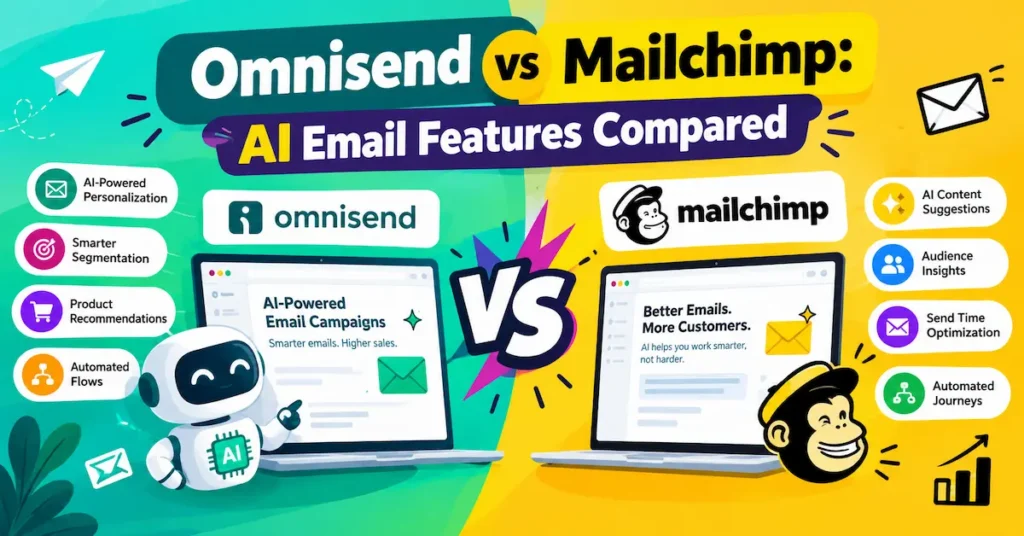
Here’s the short version. Omnisend gives you more AI for less money, especially if you sell products online. Mailchimp offers deeper analytics and a bigger brand name, but you pay more to unlock its AI.
Most Omnisend AI features are available on every plan, including Free, though a few need a connected store or a paid plan. On Mailchimp, the AI suite is not available on Free or Essentials.
That matters because AI is now the default way marketers work.
📊 87% of marketers now use generative AI in at least one workflow, up from 51% in 2024 — Salesforce State of Marketing, 2026
Here’s how the two stack up on the jobs that save you the most time:
- Copy and subject lines: both generate them, and Omnisend includes this on Free.
- Segmentation: Omnisend turns plain-English requests into audience rules. Mailchimp offers an AI Segment Builder in beta.
- Automation: Mailchimp’s AI drafts multi-step flows. Omnisend’s Campaign Booster resends to people who ignored your first email.
- Analytics: Mailchimp’s Analytics AI explains what changed and what to do next. Omnisend doesn’t advertise a direct equivalent.
Key Takeaway: Omnisend is the better-value AI toolkit, while Mailchimp is stronger if chat-style analytics matter more than price.
Omnisend AI Features: What You Get on Every Plan
Omnisend built its AI around the tasks that eat a small team’s week: writing, segmenting and resending. Most of it works without paying a cent.
AI Writing, Subject Lines and Brand Assets
The subject line generator suggests several variations based on your campaign context. The make vs zappier tool Ai tool the same way. If you’ve already written a subject line, it suggests matching preheaders automatically.
The AI email automation trend tool drafts branded email content using your past campaign data and tone of voice. Brand Assets AI pulls your log o, colors and fonts from your website. That saves real setup time on a new account.
AI Segment Builder and Campaign Booster
Type something like “VIPs who haven’t purchased this month” and the AI Segment Builder creates the rules for you. It needs contact data from a connected store to work.
Campaign Booster automatically resends a campaign with a fresh subject line to subscribers who didn’t engage. It’s a simple way to squeeze more from every send.
💡 Pro Tip: Connect your store first, then ask the segment builder for one audience you’ve never targeted, such as “customers who bought twice but haven’t opened in 60 days.”
Forms AI Assistant
Describe the signup, promo or event form you want, and the assistant builds it. This one is limited to paid plans.
Key Takeaway: Omnisend’s AI covers writing, segmenting and resending on the free plan, with only the Forms assistant locked to paid tiers.
Mailchimp AI Features: What Intuit Assist Offers in 2026
Mailchimp’s AI runs under the Intuit Assist banner. Intuit lists it as a beta feature at no extra cost on Standard and Premium plans. Standard starts at $20 a month for 500 contacts.
Content, Optimization and Send Times
Standard includes Write with AI, a Creative Assistant, a Content Optimizer, send time optimization and predictive segmentation. The drafts draw on your past campaigns, audience segments and engagement data.
AI Automation Flows and Analytics AI
Marketing Automation Flows, renamed from Customer Journey Builder in June 2025, can generate workflows like Welcome and Abandoned Cart from your brand profile.
On May 28, 2026, Mailchimp launched Analytics AI. It combines your campaign history with Shopify, WooCommerce and Wix data to recommend next steps. Mailchimp also brought campaign creation into ChatGPT and Claude. Its broader native AI agents were still listed as coming soon as of August 2026.
The Catch for Non-US Users
One review noted that Intuit Assist was primarily available to US-based accounts as of January 2026. If you’re in the UK, Canada or Australia, check what appears in your own dashboard before you upgrade.
Key Takeaway: Mailchimp’s AI is polished and getting smarter, but it costs more and may not be fully available in every market.
Omnisend vs Mailchimp AI Features: Pricing, Free Plans and Alternatives
Omnisend’s Free plan costs $0, and paid plans start at $16 a month. Pro is $59 a month. Free is capped at 250 reachable contacts and 500 emails a month..
If you subscribed on or after May 4, 2026, SMS is available only on Pro.
Mailchimp’s Free plan covers 250 contacts and 500 emails a month. Essentials starts at $13, Standard at $20 and Premium at $350. At 10,000 contacts, Essentials costs about $110 a month and Standard about $135.
Here’s how both platforms compare with four other popular options. GBP figures are rough conversions, so check your local checkout for exact UK pricing.
1. Omnisend — ⭐ 4.6/5
Best For: Online stores wanting AI on every plan
Free Plan: Yes (250 contacts)
Starting Price: $16 / ~£12
2. Mailchimp — ⭐ 4.2/5
Best For: Template variety and chat analytics
Free Plan: Yes (no AI)
Starting Price: $13 Essentials, $20 Standard / ~£10, ~£15
3. Klaviyo — ⭐ 4.5/5
Best For: Shopify-heavy brands
Free Plan: Yes (250 profiles)
Starting Price: $20 / ~£15
4. Brevo — ⭐ 4.3/5
Best For: Big lists on a budget
Free Plan: Yes
Starting Price: From $9 / ~£7
5. ActiveCampaign — ⭐ 4.3/5
Best For: CRM-style automation
Free Plan: No (free trial available)
Starting Price: $15 / ~£11
6. Constant Contact — ⭐ 4.0/5
Best For: Beginners and event promotion
Free Plan: No (free trial available)
Starting Price: $12 / ~£9
Our Top Pick:
Start with Omnisend’s free plan if you sell products online. Choose Mailchimp Standard if you specifically want its analytics agent.
Our pick for most readers: start with Omnisend’s free plan if you sell products, and choose Mailchimp Standard only if you specifically want its analytics agent.
Key Takeaway: Omnisend’s AI costs $0 to $16 a month, while Mailchimp’s starts at $20 and climbs quickly with list size.
Which Platform Fits Your Business? 3 Common Scenarios
Online Store Owners
Omnisend is the stronger fit. Its AI segmenting and Campaign Booster are built for ecommerce.
📌 Real Example: A UK ecommerce brand working with Propel Agency used Omnisend to lift revenue per campaign by 85% (from £1,152 to £2,132) after switching from Klaviyo, per
That case study comes from the vendor, so treat it as directional. Your results will depend on your list and offers.
Freelancers and Consultants
If you send a monthly newsletter to a few hundred people, either free plan works. Mailchimp’s template library and landing pages are friendly for beginners. Omnisend is the better test bed if you want AI writing without upgrading.
In the USA, Mailchimp Standard at $20 is a reasonable step up once you need AI. UK freelancers should confirm GBP pricing at checkout, since conversions vary.
Marketers Managing Client Lists
Watch send limits. Mailchimp caps monthly sends at 12 times your contact count on Standard. That’s usually plenty, but high-frequency retail clients can hit it.
Canadian and Australian agencies should also confirm which currency each platform bills in before quoting clients.
Key Takeaway: Match the platform to your business model, with Omnisend for stores and Mailchimp for template-led, general-purpose newsletters.
3 Mistakes to Avoid When Using AI Email Features
Sending AI Drafts Unedited
AI sometimes makes assumptions about pricing or features. One wrong discount in a send to thousands is a real cost. Read every draft against your actual offer.
Feeding the AI Messy Data
Dead addresses show up as zero engagement, which distorts the AI’s personalization. Clean your list before relying on AI segments or send-time tools.
Forgetting Consent Rules
AI doesn’t check whether you’re allowed to email someone. The UK’s PECR and GDPR, Canada’s CASL and Australia’s Spam Act all require proper consent for marketing email. Keep your signup records tidy no matter which tool writes the copy.
💡 Pro Tip: Take your last email’s subject line, ask each tool’s AI for options, and send a split test to 20% of your list. Pick the winner by click rate, then repeat monthly.
Key Takeaway: AI speeds up the work, but you still own accuracy, data quality and compliance.
Frequently Asked Questions
For value, yes. Omnisend includes most AI tools on every plan, while Mailchimp reserves generative AI for Standard and Premium. Mailchimp is stronger if you want conversational analytics and a larger template library.
You get the subject line and preheader generators, the AI Writer and Direct Copywriting. The AI Segment Builder and Brand Assets AI also work once your store is connected. The Forms AI Assistant needs a paid plan.
No. Reviews list Mailchimp’s generative AI as Standard and Premium only. The Free plan covers 250 contacts and 500 emails a month.
Standard starts at $20 a month (about £15) for 500 contacts, and Premium from $350 (about £260). Intuit lists Intuit Assist as a beta feature at no extra cost on those plans. Your bill still rises as your contact count grows.
At entry level, Mailchimp Essentials ($13) undercuts Omnisend Standard ($16), but Essentials has no AI. Comparing AI-ready options, Omnisend’s Free plan or $16 Standard beats Mailchimp’s $20 Standard. Run each platform’s pricing calculator with your real list size.
Yes. The AI Writer and Direct Copywriting draft complete branded email content inside the builder, using your tone and past campaign data. Edit before sending, as you would with any AI draft.
It may be limited. One January 2026 review said it was primarily available to US-based accounts. UK, Canadian and Australian users should check their dashboard or ask support before upgrading for AI.
For a small list, plan on an afternoon. Export your audience as a CSV, import it into Omnisend, then rebuild your welcome and abandoned cart automations. Keep your Mailchimp account until the new flows run cleanly.
Both work. Mailchimp suits beginners who want familiar templates and landing pages, while Omnisend suits freelancers serving online stores. Start on each free plan and see which workflow feels faster.
Yes, in selected markets. Mailchimp announced on May 28, 2026 that campaign creation is available inside ChatGPT and Claude, using your Mailchimp data and history. Availability depends on your region.
Final Thoughts
The Omnisend vs Mailchimp AI features comparison comes down to three points. Omnisend includes more AI on lower-cost plans, Mailchimp locks its AI behind Standard but adds chat-style analytics, and your business type should make the final call.
Pick one free plan this week, run one real campaign through its AI tools, and let your own results settle the debate.