
Most businesses collect customer feedback. Very few actually do anything with it — not because they don’t care, but because sorting through hundreds of responses manually is exhausting, slow, and frankly unsustainable. AI customer feedback tools change that entirely. They read, categorize, and analyze responses faster than any human team, and they do it around the clock.
The futuristics. In this guide, you’ll learn exactly how AI-powered feedback automation works, which tools are worth your money in 2026, and how to set it up without needing a developer or a big budget. Whether you’re a freelancer managing client reviews or a small business owner drowning in survey data, this is the practical playbook you need.
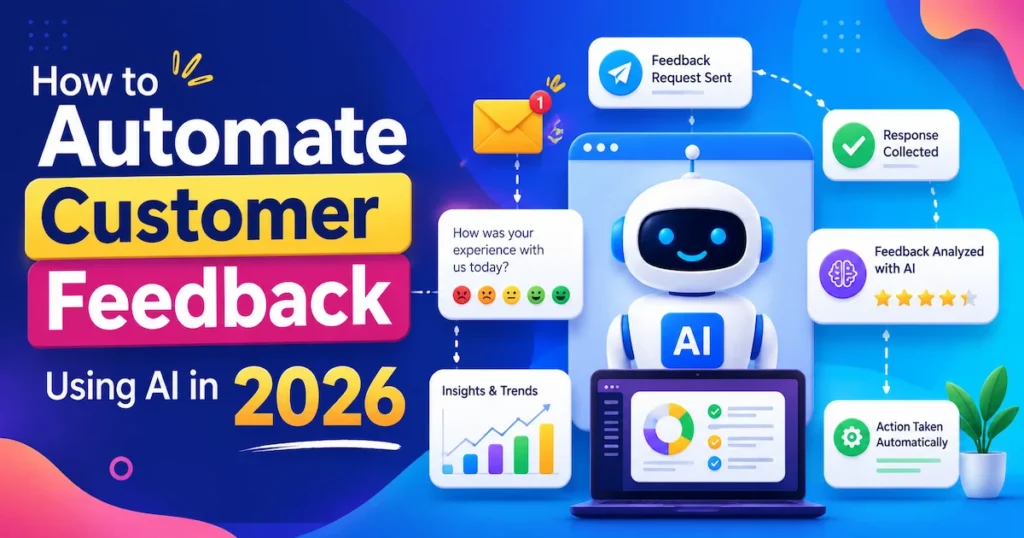
Why Manual Feedback Collection Is Costing You Time and Money
If you’re still exporting survey responses into spreadsheets, reading reviews one by one, or copying and pasting comments into a document to find patterns, you’re burning hours that should go into growing your business.
The problem isn’t just time. It’s lagging. By the time you’ve manually analyzed a batch of feedback, the opportunity to act on it has often passed. A product issue that 40 customers complained about in week one doesn’t get fixed until week four. That’s churn you didn’t have to lose.
For small business owners in the UK and Australia, especially where lean teams handle multiple roles, this bottleneck hits harder. There’s no dedicated research team. There’s just you, a VA, and a growing backlog of opinions you haven’t had time to read.
According to McKinsey, companies that use customer feedback analytics effectively are 60% more likely to retain customers than those that don’t act on feedback data. — McKinsey & Company, 2024
The shift to automation isn’t about replacing the human judgment behind decisions. It’s about clearing the noise so your judgment has something clean to work with.
Key Takeaway: Manual feedback processing creates costly delays — automation eliminates the gap between collecting data and acting on it.
How AI Customer Feedback Tools Actually Work
You don’t need to understand machine learning to use these tools. But knowing the basics helps you choose the right one and use it confidently.
Sentiment Analysis
Most AI feedback tools use natural language processing (NLP) to detect whether a customer is happy, neutral, or frustrated — automatically. Instead of reading 500 responses, you see a dashboard: 72% positive, 18% neutral, 10% negative. Drill in on the negatives, and the AI has already tagged them by theme: shipping delays, pricing confusion, product quality. Customers receive personalized product recommendations based on interests through e-commerce social media
Auto-Tagging and Categorization
Every piece of feedback gets a label. “The checkout was broken on mobile” gets tagged under UX > Mobile > Checkout. No manual coding. No spreadsheet gymnastics. Over time, the system learns your categories and gets more accurate.
Triggered Responses and Workflows
The smarter platforms connect feedback to action. A one-star review triggers an automatic follow-up email. A recurring complaint about feature X generates a task in your project management tool. Feedback becomes part of your workflow, not a separate pile you’ll deal with “when there’s time.”
Integrations That Matter
Most leading tools plug into Shopify, Slack, HubSpot, Salesforce, Intercom, and Zapier. For Canadian and US-based businesses on Shopify, this means customer reviews, post-purchase surveys, and support tickets can all feed into one AI analysis layer.
💡 Pro Tip: Before choosing a tool, map out where your feedback actually lives right now — email, Google reviews, surveys, live chat transcripts. Pick a platform that connects to at least 80% of those sources without custom code.
Key Takeaway: AI feedback tools work by combining sentiment analysis, auto-categorization, and workflow triggers to turn raw responses into structured, actionable data.
5 Best AI Customer Feedback Tools in 2026
Not every tool does the same thing. Some are built for enterprise survey pipelines; others are lean enough for a solo founder. Here’s an honest breakdown of the tools that are actually delivering results in 2026. AI client communication tools help businesses manage client interactions more efficiently.
Here are the top AI customer feedback tools compared side by side:
| Tool | Best For | Free Plan | Starting Price (USD / GBP) | Our Rating |
|---|---|---|---|---|
| Medallia | Enterprise feedback at scale | No | $50/mo / £40/mo | ⭐ 4.7/5 |
| Qualtrics XM | Advanced survey + AI analytics | No | $1,500/yr / £1,200/yr | ⭐ 4.6/5 |
| Typeform + Zapier AI | Freelancers & small businesses | Yes (limited) | $25/mo / £20/mo | ⭐ 4.4/5 |
| Thematic | Qualitative feedback analysis | No | $1,000/mo / £800/mo | ⭐ 4.5/5 |
| Survicate | Mid-size SaaS and eCommerce | Yes (limited) | $99/mo / £79/mo | ⭐ 4.3/5 |
| Feedier | Employee + customer feedback | Yes | $39/mo / £31/mo | ⭐ 4.2/5 |
| Wonderflow | Review aggregation + NLP | No | Custom / Custom | ⭐ 4.5/5 |
For most freelancers and small business owners starting, Typeform combined with a Zapier AI automation layer offers the best entry point — flexible, affordable, and genuinely powerful without a six-figure contract.
Key Takeaway: The best tool depends on your scale and where your feedback lives — start with a platform that integrates with your existing stack before committing to a premium plan.
How to Set Up Automated Feedback Collection in 3 Steps
You don’t need a three-month implementation plan. Here’s the lean version that works for businesses of any size.
Step 1: Choose Your Feedback Touchpoints
Decide where feedback will be collected. The most effective touchpoints in 2026 are:
- Post-purchase surveys (sent automatically 3–5 days after delivery)
- In-app NPS prompts (triggered after a user completes a key action)
- Review request emails (timed to catch customers at peak satisfaction)
- Live chat exit surveys (triggered when a support conversation closes)
Don’t try to capture feedback everywhere at once. Pick two touchpoints to start. Do them well.
Step 2: Connect Your Tool to an AI Analysis Layer
Once responses come in, they need to flow into your feedback tool’s AI engine automatically. If you’re using Survicate or Qualtrics, this happens natively. If you’re using a simpler form tool, a Zapier workflow can push responses to an AI classifier or even to a Claude-powered prompt that tags and summarizes each response.
For businesses in the USA and Canada running Shopify stores, the Shopify + Klaviyo + Survicate stack is one of the most tightly integrated options available right now.
Step 3: Set Up Automated Actions Based on Feedback Score
This is where the magic happens. Configure your tool to:
- Score below 6 (detractor): Trigger an apology email + flag for customer support follow-up
- Score 7–8 (passive): Add to a nurture sequence with a discount or content offer
- Score 9–10 (promoter): Automatically request a public review on Google or Trustpilot
Automate the routing. Review the patterns weekly. Adjust your messaging quarterly.
💡 Pro Tip: Use a “closed-loop” workflow where every piece of negative feedback is automatically assigned to a team member or task in your project tool (Notion, Trello, Asana). This turns complaints into a to-do list — and nothing falls through the cracks.
Key Takeaway: Automated feedback collection works best when it’s tied to specific touchpoints, routed through an AI analysis layer, and connected to pre-built response workflows.
3 Common Mistakes to Avoid When Automating Customer Feedback
Automation doesn’t fix a broken feedback process. It amplifies it. These are the three mistakes that consistently derail otherwise good setups.
Mistake 1: Asking Too Many Questions
Longer surveys don’t produce better data — they produce drop-offs. The sweet spot in 2026 is 3 questions or fewer for transactional surveys. One rating, one open-text field, one optional demographic question. That’s it.
Mistake 2: Analyzing Feedback in Isolation
Feedback only becomes powerful when you cross-reference it with behavior data. A customer who gives you a 9/10 but never returns within 90 days is telling you something your NPS score isn’t. Connect your feedback tool to your CRM or analytics platform so sentiment lives alongside purchase history, churn rate, and session data.
Mistake 3: Setting It and Forgetting It
Automation handles the collection and routing. It doesn’t replace the human review of what the AI is surfacing. Set a monthly calendar block — even 30 minutes — to review the top themes your AI has flagged. That’s where strategy actually gets built.
📌 Real Example: A digital marketing agency in Melbourne, Australia, used Survicate integrated with HubSpot to automate client satisfaction surveys across 40+ active accounts. Within 90 days, they identified a recurring onboarding complaint that was costing them early churn. Fixing that single issue reduced their 90-day churn rate by 22%. Source: Survicate Case Studies — survicate.com/case-studies
Key Takeaway: Automation accelerates your feedback process — but short surveys, cross-referenced data, and regular human review are what make it actually valuable.
Real Results: What Businesses Are Achieving With AI Feedback Automation
The numbers coming out of businesses that have adopted AI customer feedback tools in the last 12–18 months are genuinely impressive — and consistent across markets.
In the UK, retail businesses using AI feedback platforms report cutting their feedback review time by an average of 70%, freeing up customer experience teams to focus on complex escalations instead of manual tagging.
In the USA, SaaS companies using closed-loop feedback automation have seen NPS scores improve by an average of 12–18 points within the first year — not because the product changed overnight, but because they started catching and resolving issues much faster.
For freelancers and independent consultants — a growing segment in Canada and Australia — AI feedback tools have replaced the awkward manual “how’d I do?” email with structured, automated systems that collect client testimonials and improvement data without any friction.
The common thread across all these use cases is speed. Feedback collected and acted on within 48 hours produces dramatically better outcomes than the same feedback reviewed two weeks later.
The businesses winning in 2026 aren’t the ones with the most feedback. They’re the ones responding to it fastest — and AI is the only way to do that at scale.
Key Takeaway: Across every market — USA, UK, Canada, and Australia — the measurable impact of AI feedback automation is faster response times, higher NPS scores, and lower churn.
Frequently Asked Questions
AI customer feedback tools are software platforms that use machine learning and natural language processing to automatically collect, analyze, and categorize customer opinions and responses. Instead of reading feedback manually, these tools surface patterns, sentiment, and actionable insights in real time.
They use NLP (natural language processing) to detect sentiment, identify recurring themes, and classify responses. Most platforms also offer dashboard reporting so you can see trends over time without manually sorting data.
Absolutely. Many tools like Survicate, Feedier, and Typeform with AI integrations offer plans starting under $40/month (~£31/month), making them accessible for solo operators and small teams. You don't need enterprise-scale volume to benefit.
For e-commerce, Survicate and Typeform with Zapier integrations work well because they plug directly into Shopify and Klaviyo. Medallia is more powerful but better suited to larger operations with a budget to match.
Yes. Most leading platforms in 2026 offer native integrations with HubSpot, Salesforce, Intercom, and Zapier. This means feedback data can automatically update contact records, trigger workflows, and feed into your CRM reporting.
Manual feedback review is slow, inconsistent, and prone to bias. Automation ensures every response is read, categorized, and acted on — even at volume. It also removes the lag between collecting feedback and responding, which is where most businesses lose customers.
For most small businesses using tools like Typeform, Survicate, or Feedier, a basic automated system can be live within a day or two. More complex setups involving CRM integrations and custom workflows may take one to two weeks.
Modern AI feedback tools have high accuracy for sentiment classification (typically 85–95% depending on the platform and the clarity of the feedback). For nuanced or ambiguous responses, most platforms flag them for human review rather than guessing.
NPS automation handles the sending and scoring of Net Promoter Score surveys automatically. AI feedback analysis goes deeper — it reads the open-text responses, identifies why customers scored the way they did, and clusters complaints or compliments into themes.
Yes. Most platforms let you configure automated response workflows triggered by low scores. A customer who submits a 1–5 rating can automatically receive an apology email and a support ticket can be created — all without any manual intervention.
Final thoughts
Automating customer feedback with AI in 2026 comes down to three things: choosing a tool that fits your current stack, connecting it to the right touchpoints, and setting up workflows that turn data into action rather than reports that sit unread. The technology is accessible, affordable, and proven — across businesses of every size in the USA, UK, Canada, and Australia.
The businesses that win on customer experience in the next few years won’t be the ones with the best products. They’ll be the ones listening the fastest — and acting on what they hear. Now you have everything you need to be one of them.