The futuristics, aI email automation for SaaS onboarding is the difference between a trial user who logs in once and one who pulls out a credit card. Opt-in free trials convert at an average of just 8.9% across 200 software products studied by ChartMogul. That means nine out of ten people who signed up for your product are quietly drifting away right now.
This guide shows you exactly how to stop that drift. You’ll get a seven-email sequence you can copy, a comparison of the seven tools worth paying for in 2026, a five-step setup process, and the four metrics that tell you whether any of it is working.
What AI Email Automation for SaaS Onboarding Actually Does
Traditional onboarding emails run on a calendar. Day 0, Day 3, Day 7 same messages, same order, regardless of whether the user built something amazing or never came back.
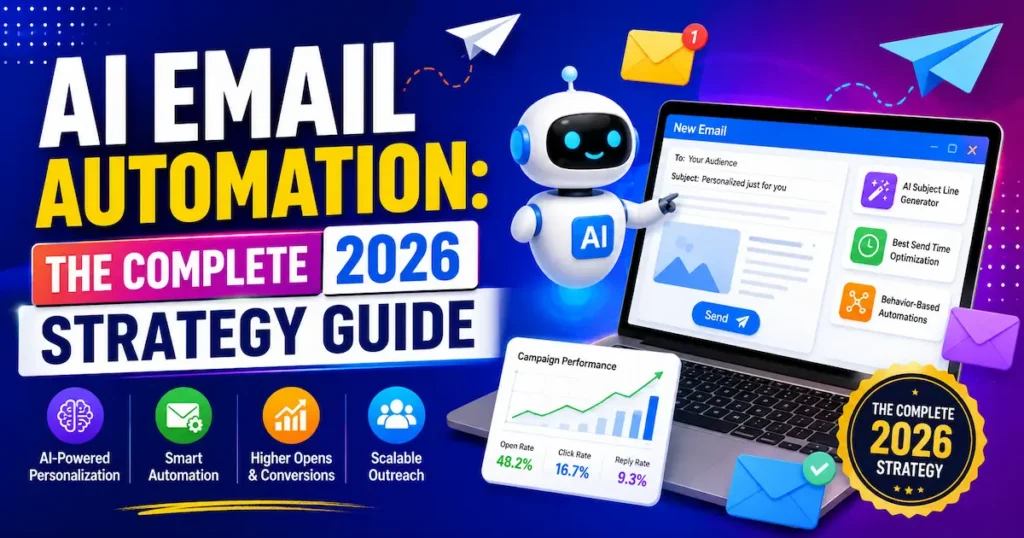
AI email automation for SaaS onboarding runs on behaviour instead. It watches what each person does inside your product and reacts.
The three layers that make it “AI”
Behavioural triggers fire emails based on events account created, first project saved, integration connected, or the absence of any of those. This is the foundation, and it’s the layer that matters most.
Predictive timing and scoring decides when to send and who deserves a nudge. Send-time optimisation alone adds around a 14% lift, and AI subject line optimisation generates roughly a 26% open rate lift. Modern platforms will draft an entire sequence from a product description, then rewrite each email for different personas a solo freelancer versus a five-person agency.
The combination is what moves the needle. A behaviour-triggered sequence with AI-written variants beats a static drip sequence on every metric that matters.
AI applied across the full email workflow segmentation, personalisation, subject lines and send times improves revenue by an average of 41% versus non-AI campaigns. — Salesforce, 2026
Programs using only one or two AI features see smaller lifts of 8–14%, which is a useful warning: half-measures produce half-results.
Key Takeaway: AI email automation replaces calendar-based drips with behaviour-based sequences that react to what each user actually does inside your product.
3 Reasons Most SaaS Onboarding Sequences Fail
Most founders don’t have no onboarding emails. They have bad ones. Here’s where it breaks.
1. The sequence talks about features, not outcomes
Email two lists eight features. Email three lists six more. The user never finds out what problem any of it solves for them.
Good onboarding emails have one job per email: get the user to complete one specific action that moves them closer to value.
2. Everyone gets the same emails
A user who connected their Stripe account on day one should not receive “Here’s how to connect Stripe” on day three. It signals that nobody is paying attention.
Behaviour-based sequences address what the user actually did, not what day they’re on and the improvement in conversion compared with time-based sequences is significant.
3. There’s no send-and-stop logic
Sequences that keep firing after someone has already upgraded feel broken. Every ai email automation tool 2026 your subscribers open but don’t care about widens the gap between you and them.
Set exit conditions before you set send dates. If a user converts, activates, or completes the goal action, the sequence stops.
Pro Tip: Open your email tool right now and add a single exit condition to your existing welcome sequence “remove from flow when user upgrades to paid.” It takes two minutes and immediately stops your worst-performing emails from reaching your best customers.
Key Takeaway: Onboarding sequences fail because they describe features, ignore user behaviour, and keep sending after the user has already done what you wanted.
The 7-Email SaaS Onboarding Sequence That Converts Trial Users
This is a structure, not a script. Adapt the triggers to your product’s activation event.
Email 1 — Welcome + one action (immediate). One sentence of welcome, one clear button. Not a feature tour. Just the single step that gets them closest to value.
Email 2 — Setup nudge (triggered: no activation after 24 hours). Short, helpful, specific. “You created an account but haven’t imported your data yet here’s the 90-second version.”
Email 3 — Quick win (triggered: activation completed). Celebrate, then show the natural next step. Momentum matters more than completeness.
Email 4 — Social proof (day 4–5). One customer story that matches their signup profile. If you don’t have case studies, use usage data instead.
Email 5 — Objection handler (day 7). Address the real reason people don’t upgrade: pricing, migration effort, or team buy-in. Answer it directly.
Email 6 — Trial expiry warning (3 days before). Show them what they’ll lose, not what they’ll pay. Include their own usage numbers if you can pull them.
Email 7 — Last chance (expiry day). Short, human, one link. Optionally a time-limited offer.
Real Example: A conversion copywriting studio in Canada rewrote the eight-email onboarding sequence for video platform Wistia changing only the copy, not the product or the schedule. The result was a 350% lift in paid conversions.
Use AI to generate three variants of each email, then pick the one that sounds least like a template. The sequence structure does the heavy lifting; the AI just saves you the blank-page problem.
Key Takeaway: Seven emails built around activation, proof, and expiry outperform longer sequences because each one asks for exactly one thing.
7 Best AI Email Automation Tools for SaaS Onboarding in 2026
These are the platforms genuinely built for product-led onboarding, not repurposed newsletter tools. Prices are list prices at time of writing; GBP figures are approximate conversions.
Customer.io
Best For: Multichannel lifecycle orchestration
Pricing: No free plan (free trial); starts at $100 / ~£79 per month
Rating: 4.7/5
Encharge
Best For: B2B SaaS trial-to-paid automation
Pricing: No free plan (14-day trial); starts at $99 / ~£78 per month
Rating: 4.6/5
Userlist
Best For: SaaS with company/team accounts
Pricing: No free plan (free trial); starts at $149 / ~£118 per month
Rating: 4.5/5
Loops
Best For: Fast setup, transactional + marketing
Pricing: Free plan available; starts at $49 / ~£39 per month
Rating: ½ 4.4/5
ActiveCampaign
Best For: Automation with a light CRM attached
Pricing: No free plan (14-day trial); starts at $29 / ~£23 per month
Rating: 4.3/5
Brevo
Best For: Budget email + SMS in one place
Pricing: Free plan available; starts at ~$9 / ~£7 per month
Rating: 4.1/5
HubSpot Marketing Hub
Best For: Teams already using HubSpot CRM
Pricing: Limited free plan; starts at $20 / ~£15 per seat/month
Rating: 4.2/5
For most small SaaS teams in the USA, UK, Canada or Australia, start with Loops if budget is tight and Encharge if you need real behavioural branching from day one.
What the price tags actually buy you
Customer.io starts at $100/month for up to 5,000 profiles and includes up to 1 million emails per month, which is generous sending power but its Premium tier jumps to $1,000/month, so plan your growth path.
Loops starts at $49/month for 5,000 contacts, while Userlist’s entry plan sits at $149/month. Userlist’s company-account model is genuinely better than most for B2B SaaS where decisions get made by teams, not individuals.
Worth knowing: Customer.io offers a startup programme giving up to 12 months free for companies that have raised under $10 million. Australian and Canadian founders in accelerator programmes frequently qualify.
Key Takeaway: Pick your onboarding tool based on your data model individual users, team accounts, or full CRM not on the headline price.
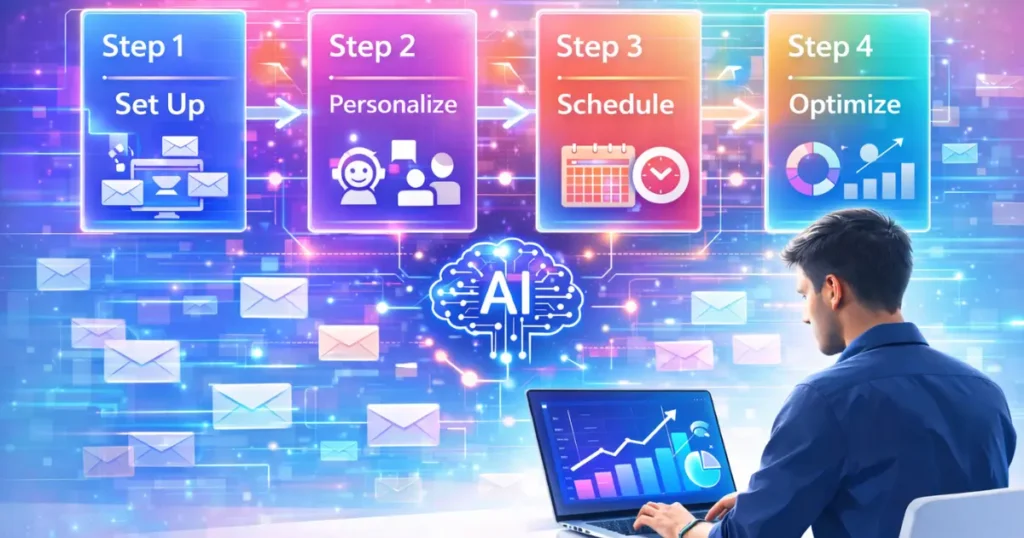
How to Set Up AI Email Automation for SaaS Onboarding in 5 Steps
You can build a working version of this in an afternoon.
Step 1: Define your activation event
Pick the single in-product action that most strongly predicts conversion. For a design tool it might be “first file exported.” For an analytics product, “first dashboard created.”
Everything else in your sequence points toward this one event.
Step 2: Pipe your product events into your email tool
Use a direct integration, Segment, or a webhook. You need at minimum: signup, activation, upgrade, and trial expiry.
Without event data, AI has nothing to be intelligent about. This step is not optional.
Step 3: Build the branch, not the drip
Create one flow with a decision point after 24 hours: activated or not activated. Two paths, different messages.
Add exit conditions at the top of the flow so converted users stop receiving sales emails immediately.
Step 4: Generate and edit the copy
Use your platform’s AI writer or ChatGPT with a detailed product brief to draft all seven emails. Then edit hard.
AI drafts are a starting point, not a finished product. Cut every sentence that doesn’t help the reader do something.
Step 5: Turn on send-time optimisation and measure
Enable predictive send timing if your platform supports it. Then leave the sequence alone for at least 30 days before judging it.
Pro Tip: Before you write a single email, send yourself a fresh signup and screenshot every step of your own onboarding. Most founders discover a broken link or a confusing empty state within five minutes and fixing that beats any email you could write.
Key Takeaway: Setting up AI email automation for SaaS onboarding comes down to one activation event, clean product data, and a branching flow with proper exit conditions.
The 4 Metrics That Prove Your Onboarding Emails Are Working
Open rates lie now. Only 15% of email marketers still use open rates as their primary success metric, per Litmus’s 2026 survey, largely because Apple Mail Privacy Protection artificially inflates reported opens.
Track these instead.
Trial-to-paid conversion rate. The only number that pays your bills. Top-performing SaaS products consistently hit 15–25%.
Time-to-activation. How long from signup to that key action? In one documented case, automated behaviour-triggered onboarding cut average activation time from 5.2 days to 2.2 days a 58% improvement alongside a 22% relative conversion lift within 90 days.
Automated flow click-through rate. Automated flow CTR averages 5.58%, with the top 10% of flows reaching 10.48% — a useful benchmark, since automated flows substantially outperform broadcast campaigns.
Revenue per recipient. Divides total revenue from the sequence by emails sent. It exposes bloated sequences that look busy but earn nothing.
Review all four monthly. If time-to-activation isn’t falling, your emails aren’t doing their job no matter how good the open rates look.
Key Takeaway: Judge onboarding automation on conversion rate, activation speed, flow CTR and revenue per recipient not on opens.
Deliverability and Compliance in the USA, UK, Canada and Australia
Onboarding emails are mostly transactional in nature, but that doesn’t exempt you from the rules and the rules differ by market.
Consent requirements vary more than people expect
In the USA, CAN-SPAM operates on an opt-out basis: you need accurate headers, a physical address, and a working unsubscribe link. In the UK, UK GDPR and PECR require a lawful basis and a clear, granular consent record.
Canada’s CASL is the strictest of the four. It requires express or clearly implied consent, and implied consent from a business relationship typically expires after a set period so a Canadian trial user who went quiet 18 months ago should not be pulled back into a sequence.
Australia’s Spam Act requires consent, accurate sender identification, and a functional unsubscribe honoured within five working days.
Practical deliverability rules for 2026
Authenticate your sending domain with SPF, DKIM and DMARC before you send anything. Gmail, Yahoo and Microsoft Outlook, which joined the bulk-sender enforcement framework in May 2025, will quietly filter you otherwise.
Use a separate subdomain for onboarding email so a bad marketing campaign can’t damage your product emails. And store consent timestamps if a Canadian or UK regulator asks, “we think they agreed” isn’t an answer.
Key Takeaway: Use a single global sequence but apply the strictest consent standard Canada’s CASL across all four markets to stay compliant everywhere at once.
Frequently Asked Questions
It's a system that sends onboarding emails triggered by what users do inside your product rather than by a fixed calendar. AI layers on top of this to write copy, predict the best send times, and score which users need intervention. The goal is getting more trial users to their first success, faster.
Five to eight works for most products with a 14-day trial. Fewer than five usually means you're missing either the activation nudge or the expiry warning. More than eight and you start training people to ignore you.
Yes, and it's cheapest at that stage. Free plans from Loops and Brevo cover you at low volume, and the conversion lift compounds as you grow. Setting it up early also means you have clean behavioural data when you scale.
It can write solid first drafts in minutes, especially when you give it a detailed product brief and your ideal customer profile. But AI drafts tend toward generic enthusiasm and need heavy editing. Treat the output as a structure to improve, not a finished asset.
Userlist, because it models companies and users as separate entities rather than treating everyone as an individual contact. Customer.io also supports object-based data for this. Both cost more than individual-contact tools, and for team-based products the difference is worth paying for.
Almost always because each email asks for too many things or nothing specific. Cut to one call to action per email and make it the only link. Also check that the CTA takes users somewhere they can act immediately, not a generic dashboard.
Consistently, yes. Behaviour-triggered sequences respond to what a user actually did rather than assuming, which avoids the credibility damage of irrelevant emails. Documented case studies show meaningful conversion improvements from switching within 90 days.
An afternoon for a basic branching sequence if your product already sends events to a tool like Segment. Two to three days if you need a developer to instrument events first. The copywriting usually takes longer than the technical build.
Most platforms bill in USD regardless of your location, so UK teams pay the USD list price plus currency conversion and, in some cases, VAT. Entry-level SaaS onboarding tools run roughly $49–$149 per month (about £39–£118). Brevo, which is EU-based, often prices more favourably for UK and European buyers.
Compare trial-to-paid conversion and time-to-activation for cohorts before and after you launch the sequence. Give it at least 30 days and one full trial cycle. If activation time isn't dropping, the emails aren't driving behaviour regardless of what the engagement metrics say.
Final Thoughts
AI email automation for SaaS onboarding works because it does three things a calendar-based drip never can: it reacts to real user behaviour, it stops talking when the user has already converted, and it gets people to their activation moment faster. The tooling in 2026 is affordable enough that a solo founder in Manchester or a two-person team in Toronto can run the same system a funded startup uses. The hard part was never the software it’s picking one activation event and writing seven honest ai emails automation ecommerce brand that point at it.
Pick your activation event today, sketch the seven emails, and ship the first version before the week is out.