
Most businesses using the best software for tracking ROI on marketing spend report knowing within days which campaigns to scale — and which ones to kill. Without that visibility, you’re essentially funding a guessing game with real money. Complete guide for AI marketing ROI.
The problem? The average buyer touches 6–10 channels before converting. That means your Facebook ad, your email sequence, your blog post, and your retargeting campaign all played a role — but your spreadsheet only credits the last click. You’re not seeing the full picture.
In the futuristics, this guide breaks down the top marketing ROI tracking tools available in 2026, what separates the good ones from the great ones, and exactly which platforms make sense depending on your budget, business size, and market — whether you’re in the USA, UK, Canada, or Australia. Let’s get into it.
Why Tracking Marketing ROI Is Harder Than It Looks
Most marketers know they should be tracking ROI. Very few actually do it well.
The core challenge is attribution. A customer might click a Google ad in week one, open three emails over the following fortnight, visit your site via organic search, and then convert through a retargeting ad. Which channel gets the credit? Most basic analytics tools — Google Analytics included — default to last-click attribution, which gives 100% of the credit to that final ad. That’s misleading. It undersells your email list, your content, and your top-of-funnel spend.
There’s also the data fragmentation problem. You might be running Meta ads, Google Ads, LinkedIn, and an email sequence simultaneously — each with its own dashboard, its own metrics, and its own definition of a “conversion.” Pulling that data into a single, coherent ROI number is genuinely difficult without the right tooling. AI Marketing ROI Metrics That Actually Matter in 2026.
What to Look For in a Marketing ROI Tracking Tool
Before you sign up for anything, it helps to know what actually matters.
Attribution Model Flexibility
Not all businesses have the same sales cycle. A freelance copywriter closing projects in 48 hours needs different attribution settings than a SaaS company running 90-day B2B funnels. Look for tools that offer multi-touch attribution — first-touch, last-touch, linear, time-decay, and ideally a custom model.
CRM and Ad Platform Integration
Your ROI tool needs to connect to where your revenue lives. That means native integrations with Google Ads, Meta, LinkedIn, and your CRM — whether that’s HubSpot, Salesforce, or a lightweight tool like Pipedrive. If data has to be manually exported and imported, you’ll stop using it within a month.
Real-Time Dashboards
Waiting for weekly reports to understand campaign performance is too slow. The best campaign ROI platforms update in real time, letting you pause underperforming ads, shift budgets, and respond to what’s actually happening — not what happened last Thursday.
Pricing Transparency
This is a bigger issue than it should be. Many enterprise-grade tools hide their pricing behind “book a demo” gates. For freelancers and small business owners in Canada and Australia, especially, knowing upfront whether a tool costs $50/month or $5,000/month is non-negotiable.
💡 Pro Tip: Before committing to any paid plan, run the free trial with your live ad data — not dummy data. The real test is whether the attribution numbers match your gut feel about which campaigns are working.
Key Takeaway: Prioritize tools with flexible attribution, strong CRM integrations, live dashboards, and transparent pricing — especially if you’re running lean.
Best Software for Tracking ROI on Marketing Spend in 2026
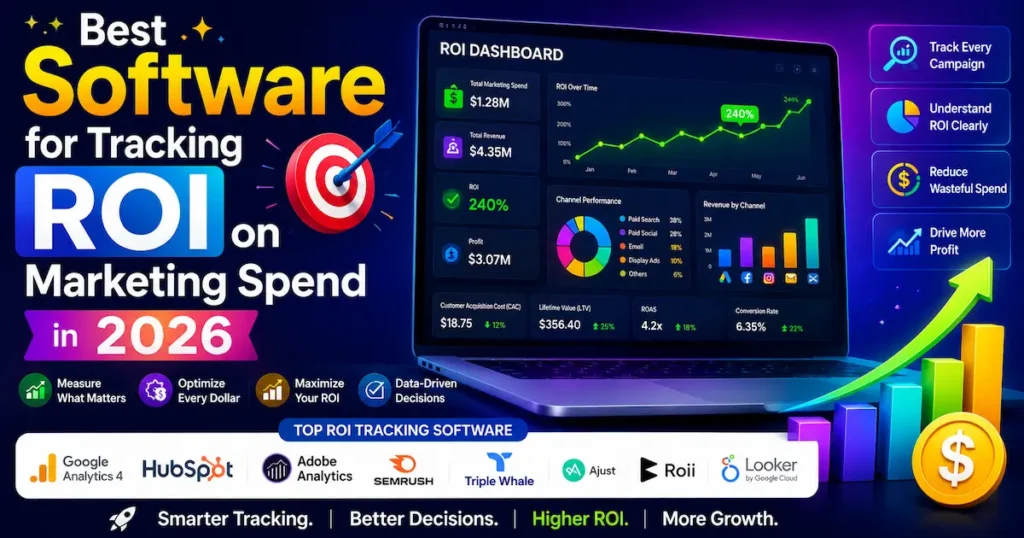
Here’s a straightforward comparison of the top tools available right now. Pricing is shown in both USD and GBP where available.
Here are the leading options across different use cases and budgets:
| Tool | Best For | Free Plan | Starting Price (USD / GBP) | Our Rating |
|---|---|---|---|---|
| HubSpot Marketing Hub | All-in-one B2B attribution | ✅ Limited | $800/mo / ~£630/mo | ⭐ 4.7/5 |
| Cometly | AI-powered multi-platform attribution | ❌ | Custom (demo required) | ⭐ 4.6/5 |
| Triple Whale | Shopify/DTC ecommerce brands | ❌ | $129/mo / ~£102/mo | ⭐ 4.5/5 |
| Northbeam | Enterprise ML-based attribution | ❌ | Custom (enterprise) | ⭐ 4.4/5 |
| Google Analytics 4 + Looker Studio | Budget-conscious teams | ✅ Full | Free / Free | ⭐ 4.0/5 |
| Ruler Analytics | B2B closed-loop CRM attribution | ❌ | $199/mo / ~£157/mo | ⭐ 4.3/5 |
| Dreamdata | B2B revenue attribution | ❌ | Free tier / $999/mo | ⭐ 4.2/5 |
Our recommendation: For most small businesses and freelancers, start with GA4 + Looker Studio to establish a baseline, then graduate to Ruler Analytics or HubSpot once you’re spending consistently on paid channels.
Key Takeaway: There’s a solid ROI tracking option at every budget — from free (GA4) to enterprise (Northbeam) — and the right choice depends on your sales cycle length, not just your spend.
How These Tools Handle Multi-Channel Attribution
Attribution is where most tools either earn their price or fail.
Server-Side Tracking: The New Standard
With browser-based pixels becoming unreliable due to iOS updates and ad blockers, server-side tracking is now the gold standard. Tools like Cometly and Triple Whale route tracking data through your own server before sending it to ad platforms — meaning they capture conversions that pixel-based tools miss entirely. For businesses running Meta ads in the UK and Australia, where iOS penetration is high, this difference can be significant.
Machine Learning Attribution
North beam takes a more sophisticated approach: instead of assigning credit based on clicks, it uses statistical modeling to measure the incremental impact of each channel. This means it can tell you what would have happened if you’d spent nothing on a channel — giving you a more honest picture of what’s actually driving revenue versus what’s just correlating with it.
📊 Only 31% of marketers list ROI as a top metric they track — even though it’s one of the most critical measures of marketing performance. — HubSpot State of Marketing Report, 2026
CRM-Closed-Loop Attribution
For B2B teams, the real unlock is connecting marketing touchpoints to closed revenue in your CRM. Ruler Analytics and HubSpot both do this natively — meaning you can see that the webinar you ran in March influenced three deals that closed in June. That’s the kind of insight that changes budget conversations.
Key Takeaway: Server-side tracking and CRM integration aren’t “nice to haves” — they’re essential for accurate attribution in 2026’s privacy-constrained environment.
ROI Tracking for Small Businesses and Freelancers on a Budget
You don’t need a $1,000/month platform to start tracking ROI properly. But you do need a plan.
Start Free, Then Scale
Google Analytics 4 is free and, when set up correctly, gives you a solid foundation. Connect it to Google Search Console, link your Google Ads account, and use Looker Studio (also free) to build a live dashboard. This setup works well for freelancers and early-stage businesses in Canada, the UK, and Australia who want visibility before committing to paid tooling
Real Example
A freelance performance marketer in Melbourne used GA4 + Looker Studio to build a custom ROI dashboard for a local e-commerce client. By fixing attribution on their Google Ads account and adding UTM parameters across all channels, they identified that 40% of their “Facebook-attributed” conversions were actually being assisted by organic search first — allowing them to double their SEO budget and reduce paid social spend. The result: 28% lower cost-per-acquisition in 12 weeks. For a similar methodology, see Think with Google’s attribution guide.
The $100–$200/Month Sweet Spot
Once you’re consistently spending on paid ads — say, $2,000–$5,000/month — tools like Ruler Analytics (starting at ~$199/month / ~£157/month) or Dreamdata’s free tier start making financial sense. The data quality improvement typically pays for itself within the first month.
💡 Pro Tip: Always use UTM parameters on every link you share — emails, social posts, bio links, even offline QR codes. It’s free, takes two minutes per campaign, and gives any ROI tool much richer data to work with.
Key Takeaway: Free tools can get you surprisingly far — but UTM discipline and proper GA4 configuration are prerequisites for any ROI tracking setup to work.
How to Get the Most Out of Any ROI Tracking Platform
Picking the right tool is step one. Getting useful data out of it is step two — and most people skip it.
Set Clear Conversion Goals First
Every ROI tool needs to know what counts as a “win.” Define your primary conversions (a purchase, a booked call, a form submission) and your secondary ones (email sign-ups, video views, page engagements). Without this, your reports are just traffic data dressed up as ROI.
Align on a Single Attribution Window
If your sales team thinks in 30-day windows and your analytics tool defaults to 7-day attribution, you’ll have endless disagreements about which campaigns are “working.” Set one attribution window across every tool and stick to it.
Review Weekly, Adjust Monthly
The biggest waste in marketing ROI tracking is checking dashboards daily without making decisions. Set a weekly review rhythm to spot trends, and reserve budget reallocation decisions for monthly reviews when you have statistically meaningful data.
For marketing ROI software UK users, particularly those running Google Ads with Smart Bidding, note that Google’s own attribution models can conflict with third-party tools. Use Google Ads’ built-in “Attribution” report as a sanity check alongside your chosen platform.
Key Takeaway: A great tool with poor setup gives worse results than a basic tool used consistently — define your goals, align your windows, and review on a schedule.
Frequently Asked Questions
The best overall tool depends on your business model. HubSpot Marketing Hub leads for B2B companies needing full-funnel attribution, while Triple Whale is the top choice for Shopify ecommerce brands. For businesses on a tight budget, Google Analytics 4 with Looker Studio is a highly capable free option. There's no universal answer — match the tool to your sales cycle.
Most modern tools use multi-touch attribution models that assign credit to every touchpoint in a customer's journey — not just the last click. Advanced platforms like Northbeam and Cometly use machine learning and server-side tracking to measure incremental impact even when cookies and pixels fail.
For many small businesses and freelancers, yes — especially when set up with proper UTM tracking, goal events, and Looker Studio dashboards. GA4's limitations become apparent at scale, particularly for cross-device tracking and CRM-connected revenue attribution, where dedicated tools like HubSpot or Ruler Analytics pull ahead.
Ruler Analytics is particularly popular in the UK for its B2B-focused closed-loop attribution and GDPR-compliant tracking. HubSpot also has a strong UK presence with local support and GBP billing. Pricing for Ruler Analytics starts at approximately £157/month, making it accessible for growing agencies and SMBs.
Yes. Cometly, HubSpot, Triple Whale, and GA4 are all fully available to Australian businesses. Triple Whale's server-side tracking is especially valuable in Australia, where iOS devices account for a substantial share of mobile traffic and pixel-based attribution frequently underreports conversions.
Absolutely. Freelancers managing client campaigns can use GA4 for free, or upgrade to tools like Ruler Analytics or HubSpot's Starter tier. The key is implementing UTM parameters consistently across every campaign to give any tool accurate data to work with.
Last-click attribution gives 100% of conversion credit to the final touchpoint before a sale, ignoring every earlier interaction. Multi-touch models distribute credit across all touchpoints — which is a far more accurate reflection of how customers actually buy. This matters because last-click attribution typically overvalues retargeting and undervalues content, email, and brand campaigns.
Costs vary widely. Google Analytics 4 and Looker Studio are free. Ruler Analytics starts at $199/month (approximately £157/month). Triple Whale starts at $129/month. HubSpot's full attribution suite starts at $800/month. Enterprise platforms like Northbeam and Cometly require custom quotes based on ad spend volume.
Web analytics tools like GA4 measure traffic, sessions, and on-site behavior. Campaign ROI platforms go further — connecting ad spend data directly to revenue outcomes, often by integrating with your CRM. The distinction matters when you need to prove which specific campaigns drove closed deals, not just clicks.
Yes — particularly once you're spending $2,000 or more per month on paid ads. Even a modest improvement in attribution accuracy (knowing which campaigns to cut and which to scale) typically recovers the tool's cost within weeks. The bigger risk is continuing to allocate budget based on inaccurate last-click data.
Final Thoughts
Choosing the best software for tracking ROI on marketing spend comes down to three things: your sales cycle length, your budget, and the channels you’re running. Start with GA4 if you’re early-stage, graduate to a dedicated campaign ROI platform as your ad spend grows, and always prioritize tools that connect your marketing data to actual revenue — not just impressions and clicks.
Multi-touch attribution and server-side tracking aren’t optional extras anymore. In 2026’s privacy-first environment, they’re the baseline for any business that wants accurate data. And accurate data is the difference between scaling what works and funding what feels good.
Pick one marketing tool, set it up properly, and commit to a review rhythm. The clarity that follows will change how you spend — and how much you earn.